How to Integrate Optum APIs into Custom Healthcare Software

Slava Khristich



Vlad Nazarov

This article provides a detailed roadmap for embedding Optum’s RESTful eligibility, claims, remittance, and FHIR APIs into custom healthcare application development, automating revenue cycle processes, enhancing data interoperability, and drawing on TATEEDA’s proven integration experience with clients such as AYA Healthcare.
Optum stands as a dominant force in U.S. healthcare technology, processing over $1.5 trillion in claims annually through its expansive network of payer connections. Its Intelligent EDI clearinghouse reaches more than 2,400 payers, spanning commercial insurers, Medicare, and Medicaid, making it a critical backbone for revenue cycle operations.
At its core, the Optum Developer Portal offers a suite of Optum API integration services—from eligibility (X12 270/271) and claims (X12 837) to remittances (X12 835), attachments (X12 275), and advanced FHIR interoperability software integration services. All endpoints are exposed as RESTful, JSON-based services secured via OAuth2, with sandbox environments for safe testing and rapid onboarding.
Healthcare IT teams rely on Optum Epic Payer Platform integration and Optum Cerner integration services for revenue cycle management to avoid rebuilding complex HIPAA EDI pipelines. Embedding Optum’s APIs into custom EHRs, billing systems, and patient portals automates eligibility verifications, claims submissions, remittance retrieval, and clinical–administrative data exchange under a unified compliance framework.
Why is TATEEDA qualified to talk about custom Optum API integration?
TATEEDA partnered with AYA Healthcare—one of the largest U.S. travel nurse agencies—to architect a multi-layered solution featuring mobile applications, scheduling workflows, claims integration (via Optum APIs), payment services, and real-time analytics. That hands-on experience delivering complex, secure integrations at scale uniquely positions TATEEDA to guide your custom Optum API projects.
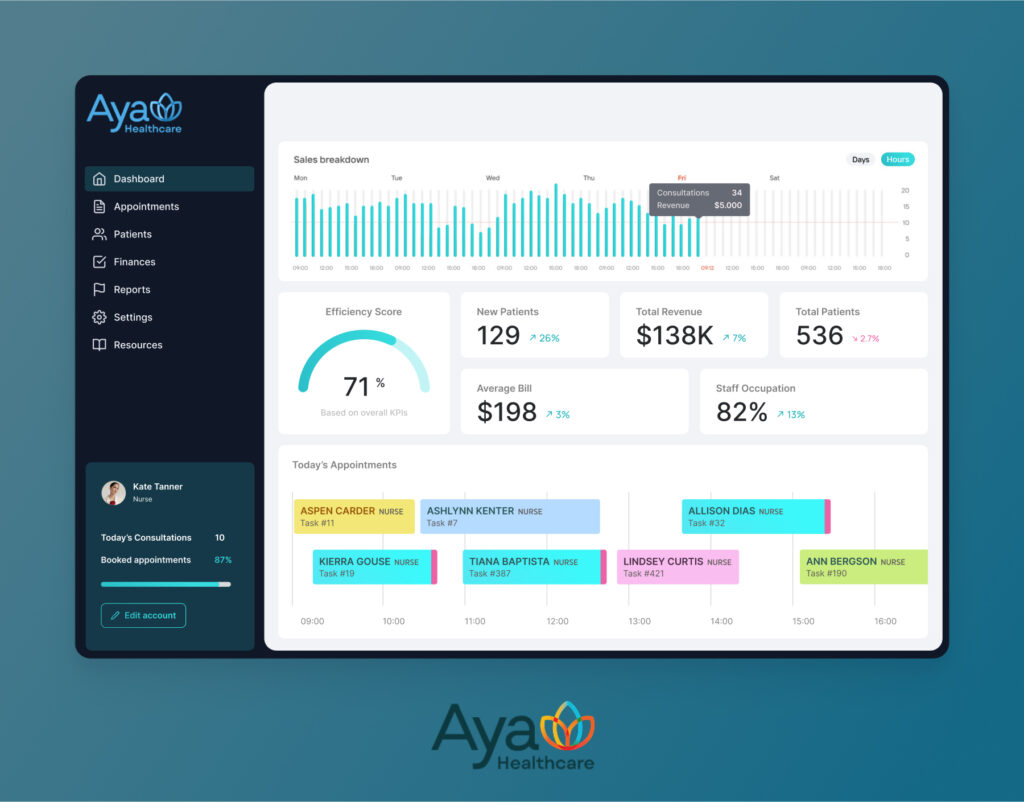
Table of Contents
How Optum Interoperability API Integration Services Work
Optum’s FHIR interoperability integration services are designed to bridge clinical and administrative data across diverse healthcare applications. These standards-based APIs (FHIR R4) let third-party solutions register and fetch patient, provider, and payer information in JSON, obviating the need for EDI expertise. Underlying endpoints cover:
- Patient Access APIs (Consent-driven FHIR Patient, Coverage, ExplanationOfBenefit)
- Provider Directory APIs (FHIR Practitioner, Organization)
- Payer-to-Payer Exchange (Claims and Benefits data sharing)
Integration Workflow:
- Registration & OAuth2: Developers register an application on Optum’s portal and obtain client credentials.
- Sandbox Testing: Use predefined test payers to simulate eligibility (270/271) and claims (837) transactions.
- FHIR Mapping: Map internal data models to FHIR resource types (e.g., Patient → Patient, Claim → ExplanationOfBenefit).
- Error Handling & Retry Logic: Leverage Optum’s metadata and health-check APIs to monitor transaction status and implement retry strategies for transient failures.
Optum Integration Benefits Across Application Types
- Through custom EHR development services, organizations integrate phased eligibility checks directly at the computerized provider order entry interface; dispatch HL7v2 ORM messages to insurance endpoints; validate coverage rules in an internal microservices registry; apply granular payer-specific formulary data synchronized via SOAP APIs; generate FHIR CoverageEligibilityResponse bundles; enforce order-entry constraints for non-covered services; and publish audit records to an enterprise audit repository (resulting in a 30 percent reduction in downstream denials.
- Revenue Cycle Platforms automate claim scrubbing and status monitoring, driving clean-claim rates above 98.5%.
- Through custom patient portal development services, patient portals call Optum’s FHIR Coverage and ExplanationOfBenefit APIs via OAuth2, transform JSON into concise dashboard widgets for deductibles, co-pays, and claim timelines, and cache responses in Redis for sub-100 ms load times. A GraphQL façade unifies data queries, while JWT-based sessions and SAML SSO secure access. Server-sent events push real-time status changes and EOB PDFs, and audit logs stream to an ELK stack—boosting transparency and reducing support inquiries.
- Telehealth applications developed through custom telemedicine software development services integrate sophisticated prior authorization workflows to verify patient coverage before virtual visits; they make secure FHIR-based eligibility queries and X12 278 authorization requests through OAuth2-protected API endpoints, automate document exchange using RESTful attachment services, map ICD-10 and CPT codes against payer-specific rules engines, and poll authorization statuses in real time so that manual follow-ups and claim denials are virtually eliminated.
- Mobile Health Apps pull claim and coverage details on-the-go, empowering care teams in remote settings.
- Analytics Dashboards ingest remittance and denial data for real-time revenue insights and KPI tracking.
- Custom AI agents developed through custom AI agent development services integrate Optum’s FHIR Coverage and Claim Submission endpoints over OAuth2-secured REST channels; employ NLP pipelines to interpret member queries, generate personalized eligibility and benefits summaries, and initiate 837 claim transactions; orchestrate event-driven workflows with Apache Kafka for real-time notifications; leverage RESTful webhooks to update patient portals and mobile dashboards; and log every interaction in an ELK stack for audit compliance and continuous model refinement—dramatically enhancing automation and member self-service.
Partner Ecosystem:
Optum partners range from system integrators and boutique consultancies to large ISVs. Typical partners include:
- EHR Vendors embedding payer connectivity (e.g., Epic, Cerner)
- RCM Specialists delivering turn-key billing modules
- Interoperability Platforms like Redox and MuleSoft that mediate between FHIR APIs and legacy systems
- Custom Software Firms (such as TATEEDA) building bespoke workflows atop Optum’s core services.
Step-by-Step Guide to Optum Integration Process
| Optum Feature | Description | Integration Potential |
|---|---|---|
| Eligibility API (270/271) | Real-time coverage queries via REST/JSON. | Embed in scheduling modules or intake forms to verify benefits before care delivery. |
| Claims Submission API (837) | Submit professional and institutional claims programmatically. | Automate claim batch uploads from custom healthcare billing systems, reducing manual EDI file handling. |
| Remittance API (835) | Retrieve remittance advice and EOBs as JSON. | Auto-post payments into AR modules or financial ledgers for prompt reconciliation. |
| Attachments API (X12 275) | Upload supporting documentation with claims or prior authorizations. | Integrate document-capture workflows (e.g., fax/email ingestion) to attach records automatically. |
| Prior Authorization API | Check and submit auth requests electronically across payers. | Build in-app authorization prompts, preventing claim denials by triggering auth checks before key procedures. |
| Interoperability FHIR APIs | Access clinical data (Patient, Practitioner, Organization, ExplanationOfBenefit) via FHIR R4. | Power patient-centric dashboards, analytics tools, and data-sharing platforms with normalized clinical and claims data. |
Implementation Steps for Optum API Integration Services
- Onboard to the Optum Developer Portal
Begin by registering your organization on the Optum Developer Portal, which is the gateway for all Optum API integration services. Complete the mandatory API Onboarding workflow—this includes agreeing to data use agreements, completing HIPAA and security training modules, and provisioning your first set of developer credentials. During this phase, review the Optum Cerner integration services for revenue cycle management documentation and the Optum Epic Payer Platform integration guides. Assign distinct user roles (e.g., developer, security admin, auditor) within the portal so that your team can independently manage API keys, OAuth2 scopes, and access controls. Keep a secure inventory of client IDs and secrets; these will be needed for every subsequent step in your custom insurance software development services project. - Generate and Manage OAuth2 Credentials
Leverage OAuth2’s client-credentials and authorization-code grant flows to obtain access and refresh tokens for every environment (sandbox, UAT, production). Configure token lifetimes and refresh logic in your application’s security layer to ensure uninterrupted access to Optum’s endpoints. Scope your tokens precisely—e.g.,eligibility.read,claim.write,attachment.upload—so that each microservice in your architecture has only the permissions it needs. Document your token refresh process and encrypt all tokens at rest using AES-256. If implementing Optum FHIR interoperability integration services, request the additionalfhir.readandfhir.writescopes during credential generation. Regularly rotate your secrets and update your vault to maintain best practices in credential hygiene. - Validate in the Sandbox Environment
Use Optum’s sandbox to simulate real-world transactions against test payers. Execute eligibility inquiries (270/271), claims submissions (837), remittance pulls (835), and attachment uploads (275) through Postman collections or automated test scripts. Validate HTTP status codes, JSON payload structures, and EDI translation accuracy. Test error scenarios—e.g., missing patient identifiers or invalid CPT codes—to confirm your retry logic handles 5xx and 4xx responses correctly. For Optum Cerner integration services for revenue cycle management, also test the data flow into Cerner’s RCM modules, ensuring the system correctly processes remittance advice and updates account balances. Track your test results in a shared QA dashboard and iterate until all scenarios pass without manual intervention. - Implement Data Mapping & Transformation
Map your internal data models (e.g., patient demographics, provider IDs, procedure codes) to Optum’s JSON and EDI schemas. Use an ETL tool or custom mapping layer to convert between your database schema and the Optum format. When dealing with legacy EDI files, implement X12 parsing libraries to normalize data into FHIR resources or JSON objects, ensuring that segment delimiters and composite elements are handled correctly. For Optum API integration services in a custom insurance software solutions context, automate the conversion pipelines so that every outgoing claim or incoming remittance passes through a validation engine that enforces Optum’s business rules (e.g., non-negatedN.M.values, correctCLAIM.SERVICE_LINEplacements). Maintain versioned mapping documentation to simplify future schema updates. - Build Robust Error Handling & Health-Check Integration
Integrate Optum’s Health Check API to poll endpoint availability, response latency, and uptime SLAs. Implement circuit-breaker patterns in your microservices to prevent cascading failures when Optum endpoints are unreachable. Collect and visualize metrics—such as API error rates, average response times, and token expiration events—in a centralized monitoring tool (e.g., Grafana or Azure Monitor). For HTTP 429 “Too Many Requests” responses, automatically queue requests and respectRetry-Afterheaders. Log every transaction with correlation IDs, timestamps, and payload hashes to a secure audit store—this satisfies both debugging needs and HIPAA audit requirements. Configure alerting thresholds so your DevOps team is notified the moment any integration anomaly occurs. - Go-Live Preparation & Continuous Production Monitoring
Perform a final cutover by swapping sandbox URLs with production endpoints and updating OAuth2 credentials to use live client IDs. Conduct smoke tests on key paths—eligibility, claims create, remittance retrieval—to ensure end-to-end functionality. Establish a cadence for pulling production logs and reconciling transaction volumes against SLAs. Schedule quarterly reviews of Optum Cerner integration services for revenue cycle management performance and update your mapping rules as payers introduce new claim edits or code sets. Implement a version-control process for all integration scripts so you can roll back to a known-good state if an upstream schema changes. Finally, maintain close contact with Optum’s support team and subscribe to their API status notifications to stay ahead of deprecations or maintenance windows.
By following these expanded steps, which are anchored in Optum API integration services, Optum Cerner integration services for revenue cycle management, and Optum FHIR interoperability integration services, you’ll ensure a resilient, compliant, and high-performing integration layer for your custom healthcare software solutions.
TATEEDA’s Custom Software Development Services with Optum Integration
Below is a breakdown of each key Optum integration capability and how it empowers custom healthcare software:
| Service | Description |
|---|---|
| Optum API integration services | Offers a unified set of RESTful endpoints (eligibility, claims, remittance, attachments) secured via OAuth2. Embeds HIPAA-compliant EDI-to-JSON translation into any application for seamless revenue cycle automation. |
| Optum Epic Payer Platform integration | Connects Optum’s Intelligent EDI clearinghouse directly with Epic® clinical systems. Delivers in-workflow payer data—eligibility, benefit details, claims status—without leaving the Epic interface. |
| Optum FHIR interoperability integration services | Exposes FHIR R4 resources (Patient, Coverage, ExplanationOfBenefit) for true clinical-administrative data exchange. Enables custom apps to query and update patient and payer information in real time. |
| Optum Cerner integration services for revenue cycle management | Integrates Optum’s RCM APIs with Cerner’s billing modules. Automates claim submissions, remittance posting, and denial management within Cerner, accelerating cash flow and reducing manual interventions. |
Learn more: ➡️ Hospital Management Software Development Services
TATEEDA’s Expertise
Assessment & Planning:
Solutions architects and business analysts collaborate with clinical informaticists to perform a detailed API gap analysis, define data models, and draft integration roadmaps. This phase includes brushing up on payer-specific workflows, drafting sequence diagrams, and estimating effort for backend microservices, FHIR resource design, and front-end UI adjustments.
API Development & Customization:
A team of senior backend engineers and integration specialists implement OAuth2 security flows, build JSON-to-EDI mapping layers, and configure FHIR endpoints within a microservices architecture. Full-stack developers create SDK wrappers for front-end consumption, while DevOps engineers establish CI/CD pipelines to deploy containerized API services with zero downtime.
Sandbox Testing & Validation:
QA engineers and automation testers use Postman/Newman suites and custom Python scripts to run end-to-end tests against Optum’s sandbox payers. Performance engineers simulate edge-case scenarios (e.g., high-volume 270/271 bursts) using JMeter, while security engineers conduct vulnerability scans and pen tests on API endpoints.
Compliance & Security:
Security architects enforce HIPAA administrative, physical, and technical safeguards, configure end-to-end TLS encryption for all data in transit, and implement AES-256 encryption at rest. Audit engineers design immutable audit logging mechanisms (using ELK or Splunk), and compliance specialists manage SOC 2 and HITRUST documentation.
Ongoing Support & Maintenance:
A dedicated DevOps team monitors API health metrics in Grafana and PagerDuty, responds to Optum API versioning changes, and tunes auto-scaling rules. Support engineers handle incident triage, while integration engineers update mappings and reroute workflows as payer business rules evolve. Continuous improvement cycles include code reviews, retro-analyses, and iterative performance optimizations.

Do You Need Help with Optum Integration?
Partner with TATEEDA for custom Optum integration services and accelerate your custom healthcare solutions with confidence.





![8 Medical Billing Automation Developers in California [2026]](https://tateeda.com/wp-content/uploads/2026/10/Cover.png)
