Post-Visit Automation in EHR Software: Summaries, Education, and Follow-Up Messaging

Slava Khristich



Vlad Nazarov
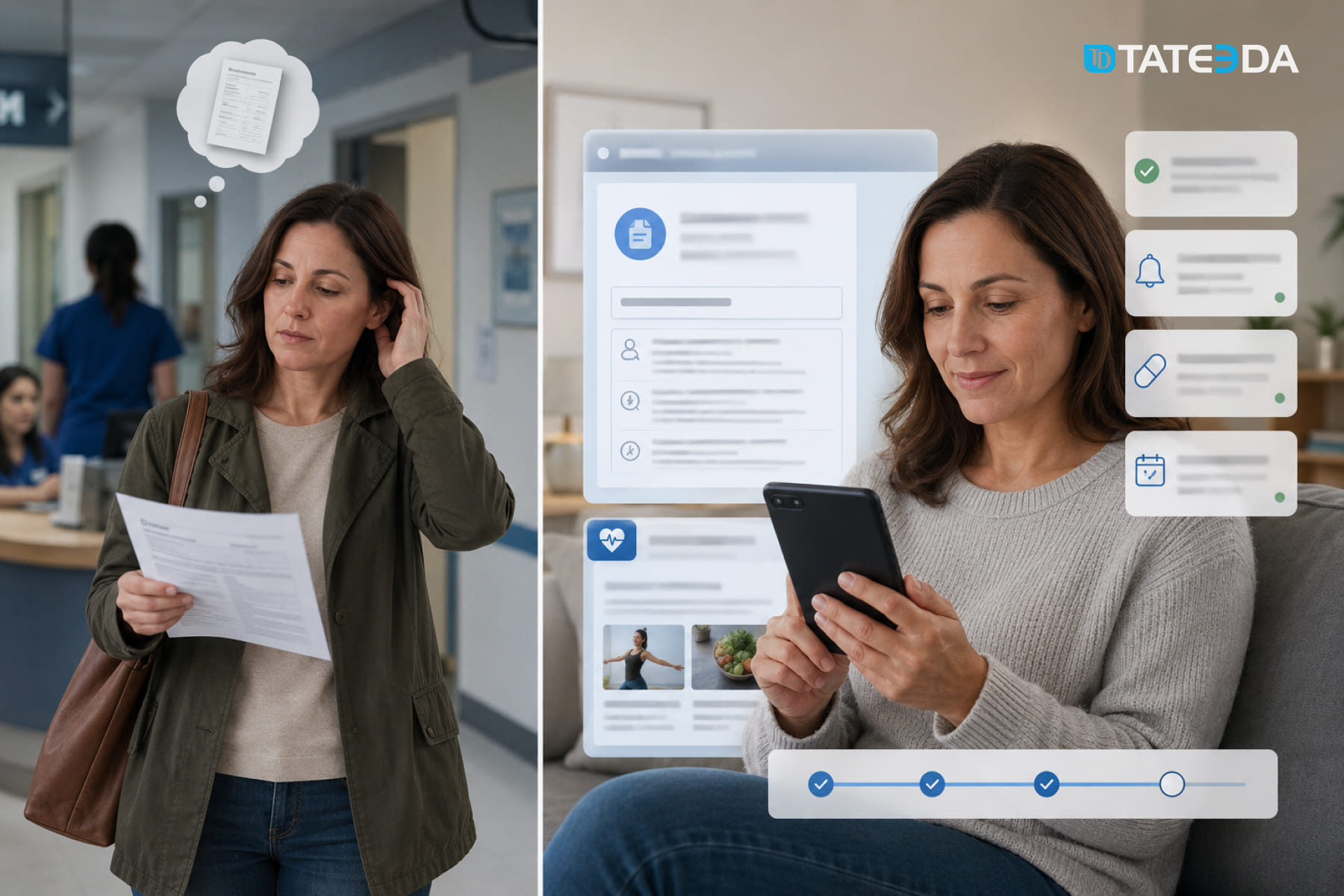
In this article, you’ll learn how post-visit automation in EHR software turns encounter data into patient-facing actions such as after-visit summaries, patient education, follow-up messaging, and care-team escalation using FHIR R4 and secure messaging. It also covers where native EHR configuration ends and custom development adds value, including Epic, Oracle Health, and athenahealth integrations, SMART on FHIR, HL7/FHIR workflows, patient portals, notifications, audit logs, analytics, and specialty-specific follow-up rules.
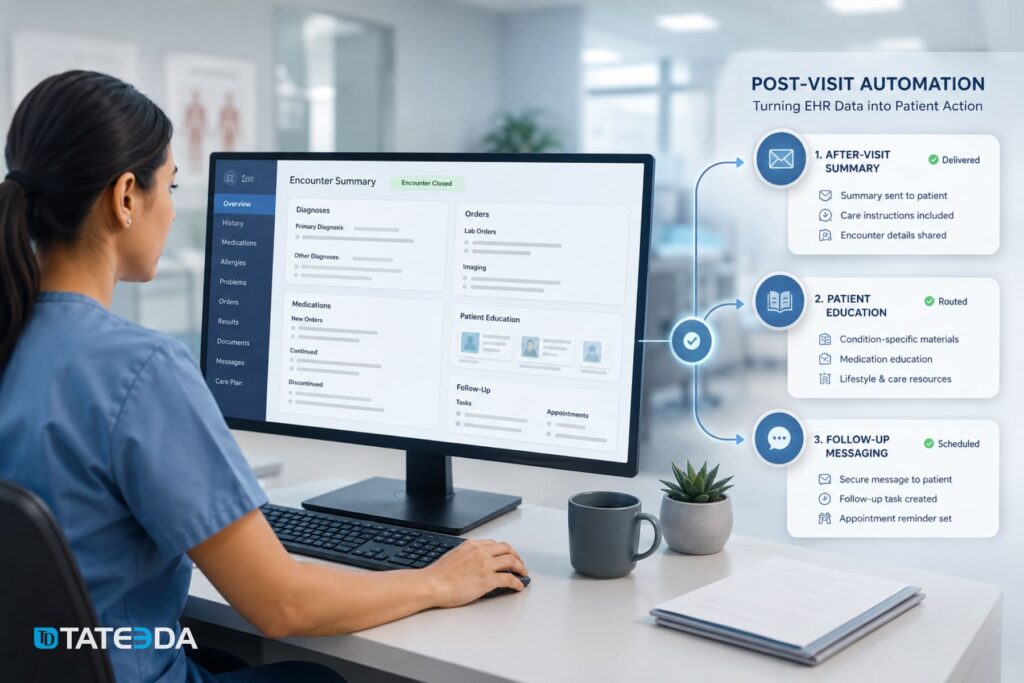
Post-visit automation in Electronic Health Record (EHR) software covers three clinical workflows that most EHRs generate data for but rarely execute automatically: after-visit summary (AVS) delivery, patient education material routing, and structured follow-up messaging. Building these workflows requires Fast Healthcare Interoperability Resources (FHIR) R4 integrations, event-driven architecture triggered on encounter closure, and Health Insurance Portability and Accountability Act (HIPAA)-compliant messaging infrastructure — none of which come preconfigured in standard EHR deployments.
Here is the problem. Research consistently shows that 60% of patients misunderstand their medication instructions after a clinical visit, and 40-60% cannot accurately explain what their provider expected them to do. Your EHR captured every piece of information needed to close that gap. It recorded the diagnosis codes, the medication orders, the follow-up timeline, and the care instructions. But unless someone built the post-visit workflow, that data sits in the chart — and the patient drives home with a printout they may or may not read.
If your care team manually sends AVS documents, hunts down patient education PDFs, or places follow-up calls that a rules engine should automate, you are absorbing labor costs for work the system can handle. More consequentially, patients who don’t receive structured follow-up have measurably worse outcomes — and those outcomes translate directly into readmission penalties and care gap metrics.
This article covers the architecture of post-visit automation in detail: the FHIR resources involved, how AI-assisted documentation feeds the pipeline, how education routing works, what HIPAA-compliant messaging infrastructure requires, and where custom EHR development makes the difference between a workflow that exists and one that actually fits your care model.
| Key takeaways: ✅ Post-visit automation requires three distinct workflows: after-visit summary delivery, patient education material routing, and follow-up messaging. Most EHRs provide the APIs but not the configured workflow logic. ✅ FHIR R4 Encounter , DocumentReference , CommunicationRequest , Communication , and Task resources form the standards-based foundation for post-visit automation.✅ Patients who receive structured follow-up within 48 hours of a visit have a 32% lower 30-day readmission rate; a 2025 systematic review found EHR-based follow-up tools reduced 30-day readmissions by 17% and 90-day readmissions by 28%. ✅ HIPAA-compliant post-visit messaging requires Protected Health Information (PHI) handling in async queues, Business Associate Agreements (BAAs) with every SMS and email vendor in the pipeline, and immutable delivery audit logs retained for six years. ✅ Epic, Oracle Health, and athenahealth all expose APIs that support post-visit automation, but wiring encounter-closure events to the right downstream workflow for each care model requires custom development. |
Why is TATEEDA qualified to talk about post-visit automation in EHR software?
TATEEDA has been building custom healthcare software since 2013, with hands-on experience in patient portals, medical mobile apps, remote monitoring systems, pharmacy automation, EDC platforms, payment portals, and EHR-adjacent workflows. This matters because post-visit automation is not a single feature. It touches clinical documentation, patient communication, secure delivery channels, care-team tasks, audit logs, and integration logic between systems.
Our healthcare software experience includes work with:
- patient portal and mobile app development with secure messaging and role-based access;
- healthcare workforce platforms with multi-role users, reporting, and mobile workflows;
- pharmacy claim processing and prescription-related automation;
- patient payment portals with secure access and transaction workflows;
- EDC software for structured medical data capture;
- remote patient monitoring apps connected to medical devices and clinician dashboards.
That background gives TATEEDA a practical view of what post-visit automation actually requires: not another static after-visit summary, but a connected workflow that can take structured EHR data and trigger the right next step. AVS delivery, patient education routing, follow-up messaging, escalation tasks, delivery logs, and HIPAA-compliant messaging infrastructure must be planned as one working system, not as disconnected portal settings.

Table of Contents
What Post-Visit Automation Actually Covers (and What Most EHRs Leave Manual)
Most EHR platforms provide templates, patient portal messaging, and education content libraries. What they don’t provide is a configured automation layer that connects encounter closure to the right downstream action for each patient’s specific diagnosis, visit type, and communication preference. That gap is where clinical teams spend time they shouldn’t have to.
The three post-visit workflow gaps
Post-visit automation, built correctly, addresses three distinct categories of work that currently fall to staff or simply don’t happen.
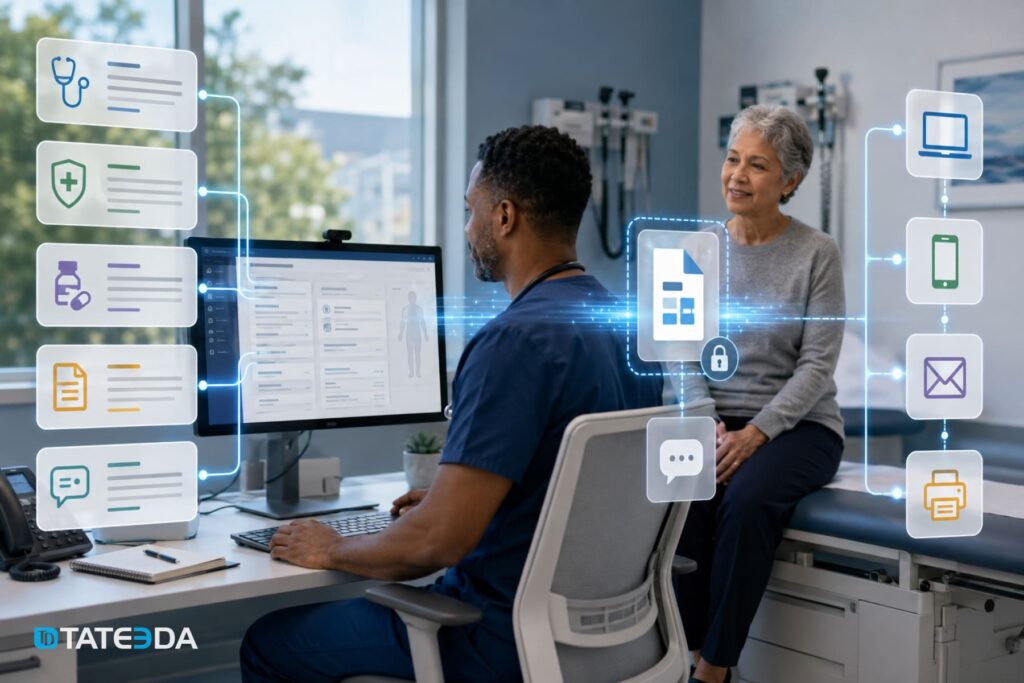
The EHR can assemble a structured summary of the encounter, including active diagnoses, current medications, care instructions, and ordered follow-up. A configured workflow can then route that summary through the approved delivery channel: portal notification, secure link, email, SMS notification, or print, depending on patient preference and compliance policy. In a fully configured workflow, delivery can be triggered when the encounter closes instead of waiting for staff to send the summary manually.
The second is patient education material routing. Based on ICD-10 diagnosis codes, procedure codes, or care plan entries recorded during the encounter, the system identifies the appropriate education content from the library. It assigns or delivers it to the patient, with tracking for completion and care team visibility into engagement.
The third is follow-up messaging and task automation. At defined intervals post-visit — 48 hours, seven days, 30 days — the system sends condition-appropriate check-in messages, flags unanswered responses for clinical review, prompts patients to schedule ordered labs or referrals, and routes escalations to the care team when clinical screening questions indicate a problem.
All three workflows draw on data already structured in the EHR. The engineering work is building the event-driven layer that connects encounter closure to each downstream action.
Why after-visit summaries aren’t enough on their own
Under Meaningful Use Stage 2 requirements, certified EHR technology had to support after-visit summaries for patients. Most practices can generate an AVS, but fewer connect it to automated delivery, view tracking, and follow-up workflows. Most practices generate the AVS. Far fewer automate its delivery, track whether the patient opened it, or connect the summary to the next step in the care workflow.
A summary printed and handed to a patient leaving the exam room is not the same as a summary delivered to the patient’s portal, confirmed as viewed, and linked to a medication adherence prompt sent three days later. The first is document generation. The second is post-visit automation. The same distinction applies to education materials and follow-up messages. The capability exists inside every major EHR. The workflow logic that connects patient-specific clinical data to the right automated action at the right time requires configuration or custom development that most practices have not completed.

TATEEDA’s EHR and EMR software development services cover full post-visit automation builds for Epic, Oracle Health, and athenahealth environments. Estimate your project cost.
After-Visit Summary Generation: From Ambient Documentation to Patient-Ready Output
The post-visit automation pipeline starts not at encounter closure but during the encounter itself, in how clinical documentation is captured. Ambient AI documentation tools can change what is captured during the visit. When the output is structured enough for the target EHR, it can also reduce the manual work needed to prepare after-visit summaries, patient instructions, and follow-up workflows.
How AI scribes feed the AVS pipeline
Ambient documentation platforms can capture clinical conversations and generate clinical notes, patient instructions, orders, summaries, or related documentation, depending on vendor capabilities and EHR configuration. Tools such as Microsoft Dragon Copilot and Suki support EHR-connected documentation workflows, but the degree of structured data available for automation depends on the deployment and target system. AWS launched Amazon Connect Health in March 2026 as an AI-enabled healthcare platform intended to integrate with EHRs and support administrative and clinical workflow tasks such as patient verification, scheduling, medical history collection, clinical documentation, and medical coding.
When diagnoses, orders, medication changes, and instructions are captured in structured fields, AVS assembly becomes more predictable and easier to automate. The system pulls the active problem list, current medication orders, encounter-specific instructions, and scheduled follow-ups, formats them according to the patient’s health literacy level and preferred language, and routes delivery without a manual extraction step. The data was structured when it was created.
Practices that rely on dictated or free-text notes face a different situation. Post-processing to extract structured data from unstructured narrative adds latency and error risk to the pipeline. This is one reason ambient documentation adoption has accelerated in 2025 and 2026: the clinical documentation improvement and the post-visit automation improvement compound together.
FHIR DocumentReference and the structured summary handoff
In a FHIR R4 architecture, an after-visit summary can be represented through a DocumentReference resource, depending on the organization’s document model and EHR implementation. The DocumentReference references the content of the summary document, identifies the encounter it summarizes via the context.encounter element, and can use an appropriate document type code, such as LOINC 34133-9, where that code fits the organization’s document model.
When the Encounter resource status transitions to finished, an event-driven workflow can create or reference the after-visit summary, generate the patient-facing output, and initiate a delivery request through a CommunicationRequest resource or another approved messaging workflow tied to the patient’s registered contact preferences. This architecture makes the delivery step auditable. Each CommunicationRequest tracks its status ( draft , active , completed ), the requester, the recipient, and the payload. If the implementation writes each step back into the FHIR layer, the organization can keep a connected record of the request, delivery event, and related patient communication instead of scattering those events across disconnected systems.
Delivery channels: Portal, SMS, email, and print
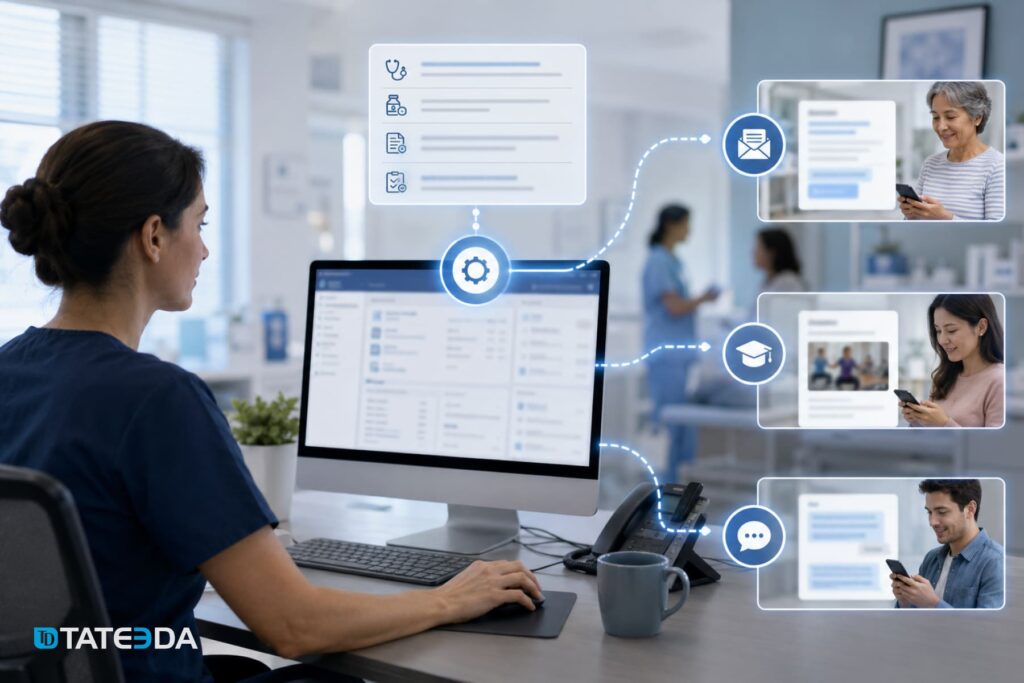
Epic environments can support patient-facing portal workflows through MyChart, Epic APIs, and customer-specific integration paths. The exact method for triggering post-visit notifications depends on the Epic configuration, available APIs, and the organization’s approved integration model. For patients who have not activated the MyChart portal, the same encounter-close event can trigger an SMS with a portal activation prompt and a secure summary link. Athenahealth’s API supports encounter-close webhook events that downstream systems can subscribe to for triggering delivery. Oracle Health’s CommunicationManagement module handles multi-channel delivery natively but requires configuration against each practice’s notification rules.
Custom patient portal development can help health systems add delivery-channel logic beyond what standard EHR portals support, including language adaptation, literacy-level formatting, delivery preference management, secure-link routing, and follow-up tracking.
Composite example: A 12-provider independent primary care practice in Sacramento faced a recurring post-visit communication problem. Patients called back often enough to occupy a medical assistant for roughly 45 minutes each day, mostly with questions about discharge instructions that had been explained verbally but were not retained. The practice generated AVS documents through its athenahealth instance but delivered them only via the patient portal. Fewer than 40% of her patients had activated a portal account.
After the practice extended its EHR integration to trigger secure summary-link delivery after encounter closure, with portal activation support included in the workflow, callback volume dropped within 30 days.. The MA’s 45-minute daily task became a five-minute exception review. The clinical data had always existed. The automation layer connected it to the right delivery channel for each patient.
Automating Patient Education Material Delivery Post-Visit
Patient education is where most EHR automation discussions get vague. Many major EHR deployments include education libraries, portal messaging, and configurable templates. What is often missing is the automation logic that maps encounter data to the right content, delivery channel, timing, tracking rule, and escalation path for each patient.
Condition-code-triggered education routing
The clinical data captured during an encounter carries the routing logic for education delivery. ICD-10 diagnosis codes, CPT procedure codes, medication orders, and care-plan entries can be mapped to approved education materials when the practice maintains a reviewed content library and code-to-content mapping rules.
A patient who receives a new diagnosis of Type 2 diabetes during a visit should automatically receive education materials on blood glucose monitoring, dietary adjustments, and medication adherence — not because an MA selected those materials, but because the diagnosis code triggered the routing rule.
Building this routing logic requires three components: a mapping table connecting clinical codes to education library item IDs, an event listener on encounter closure that reads the codes recorded during the visit, and a delivery engine that respects the patient’s language preference and the care team’s content approval settings. These components may exist partially in some EHR configurations or third-party modules, but connecting them into one patient-specific, event-driven workflow usually requires configuration, integration work, or custom development.
FHIR CommunicationRequest for education assignment
The FHIR R4 CommunicationRequest resource can model this scenario by representing a request to send information to a patient or another recipient. A CommunicationRequest can specify the requester, recipient, category, payload, and timing. In an implementation profile, the category may be coded as patient education, while the payload can reference the education document, file, or content item to be delivered.
For a post-visit education workflow, payload.contentReference references the specific education document or library item, and occurrenceDateTime is set to either immediate or a defined interval post-visit — for example, 24 hours later, once the patient has returned home and is more likely to engage with written material. The Communication resource, created when delivery occurs, records the fulfillment: what was sent, when, through which channel, and the patient’s engagement status if the delivery platform supports completion tracking.
Integration patterns with Epic and athenahealth
Epic Showroom includes patient education and engagement integrations, including WebMD Ignite offerings. If you mention automated assignment or tracking inside MyChart, verify the exact integration behavior with Epic and the vendor before publishing. A safer architecture statement is that a custom automation layer can be designed to trigger education assignment based on diagnosis codes where the EHR, portal, or third-party education vendor exposes supported APIs for that workflow.
Athenahealth’s encounter plan templates support education material associations. When a template is applied to a specific diagnosis or procedure type, the associated materials are included in the post-visit workflow automatically. A custom integration layer extends this by triggering a template application based on coded diagnoses rather than requiring the provider to select the template manually.
TATEEDA’s VisionTree EDC case study illustrates the engineering pattern: clinical form submissions trigger structured data events that route to the right downstream workflow. The post-visit education routing architecture follows the same model, with encounter closure as the trigger event.
Health literacy adaptation and multi-language support
AI-native post-visit platforms are beginning to generate education summaries adapted to the patient’s documented health literacy level and preferred language, rather than delivering the same PDF to every patient regardless of reading level. For practices building custom automation layers, this requires a patient preference record capturing literacy level and language, a content library with multiple versions of each education item, and routing logic that selects the right version at delivery time. This is not a standard EHR configuration option; it requires custom development against the patient data model.
Automated Follow-Up Messaging: Architecture, Cadence, and HIPAA Compliance
Follow-up messaging is where post-visit automation has the clearest clinical ROI — and where the compliance requirements are most exacting. Getting the messaging cadence right and building it on HIPAA-compliant infrastructure are both engineering problems, not configuration exercises.
Designing the post-visit messaging cadence
The evidence for follow-up timing is specific: patients who receive follow-up contact within 48 hours of a clinical visit have a 32% lower 30-day readmission rate than those who don’t. A structured 30-day follow-up program, with touchpoints at 48 hours, seven days, and 30 days post-visit, maps to the clinical risk windows for most acute and chronic conditions.
The purpose of each touchpoint differs in meaningful ways. The 48-hour message confirms the patient received and can access care instructions, prompts medication pickup confirmation, surfaces early problems such as adverse reactions or incomplete treatment initiation, and provides a low-friction path to contact the care team without calling the main phone line. The seven-day message checks on symptom trajectory, prompts scheduling of ordered labs or referrals not yet completed, and screens for medication adherence problems. The 30-day message is the care gap closure trigger: it confirms follow-up appointment attendance, prompts scheduling if the appointment was missed, assesses chronic condition management, and screens for new concerns requiring clinical review.
Each message should be condition-adaptive. A patient discharged post-cardiac event receives a different 48-hour message than a patient seen for a respiratory infection. The routing logic reads encounter diagnosis codes and selects the appropriate template for each touchpoint.
HIPAA-compliant messaging infrastructure
Automated post-visit messaging that involves PHI requires specific architectural decisions. PHI cannot travel through standard SMS channels without encryption, and every vendor that creates, receives, maintains, or transmits PHI on behalf of a covered entity or business associate must be covered by a Business Associate Agreement before PHI passes through that vendor’s infrastructure.
The requirements for HIPAA-compliant post-visit messaging include:
- BAA coverage for every vendor. Every third-party messaging provider in the pipeline — SMS gateways, email service providers, notification platforms — must execute a BAA. Standard consumer SMS platforms are not HIPAA-covered without an explicit BAA and enabling HIPAA-eligible configuration options.
- PHI minimization in message content. Message bodies should not contain PHI beyond what is necessary. Best practice sends a notification directing the patient to a secure portal rather than embedding diagnosis names or medication details in the SMS or email body.
- Immutable delivery audit logs. Every message dispatch, delivery confirmation, and patient response must be logged with timestamps, message type, recipient identifier, and outcome status. HIPAA’s Security Rule requires these logs to be retained for a minimum of six years.
- Encryption in transit and at rest. Message content containing PHI must be encrypted in transit (TLS 1.2 or higher) and at rest (AES-256 or equivalent). Async messaging infrastructure, such as Amazon SQS, Azure Service Bus, or similar services, should be provisioned in HIPAA-eligible configurations where applicable, with encryption, access controls, logging, and vendor BAA coverage reviewed before PHI is processed.
Building these requirements into the messaging infrastructure from the first sprint is materially less expensive than retrofitting them after go-live. TATEEDA’s custom software integration services include full HIPAA-compliant messaging architecture design as part of every post-visit automation engagement.
Readmission prevention: the clinical case for automated follow-up
HealthPath Clinics is a regional network with seven ambulatory sites in the Pacific Northwest. Their care management team tracked 30-day readmission rates across their primary care population and found that patients who attended a follow-up visit within seven days of hospital discharge had a 21% lower readmission rate than those who didn’t. The barrier was not the patient’s willingness. It was scheduling friction and the absence of a systematic prompt.
HealthPath implemented an automated 48-hour post-discharge message confirming the scheduled follow-up appointment and providing a one-tap rescheduling link for patients whose appointment was more than 10 days out. Within six months, the proportion of post-discharge patients attending follow-up within seven days increased from 54% to 71%. Readmission rates in that cohort dropped from 16.8% to 14.1%.
The 2025 systematic review of EHR-based follow-up tools found a 17% reduction in 30-day readmissions and a 28% reduction in 90-day readmissions across programs using EHR-triggered follow-up automation. At the average readmission cost of $15,000-$20,000 per event under CMS penalties, a 17% reduction across even a mid-sized ambulatory population produces a measurable return on the engineering investment within the first year.
Care gap identification and outreach automation
Qventus launched its Care Gap and Coding Automation Suite in February 2026 — an AI-powered platform embedded directly into the EHR that identifies missed diagnoses, orchestrates clinical interventions, and completes documentation in real time. The post-visit dimension of this category: encounter closure data surfaces care gaps, and an automated outreach workflow contacts the patient before the gap becomes a clinical problem.
Care gap automation requires reading not just the current encounter’s diagnosis codes but the patient’s longitudinal record: conditions that are active but were not addressed in the current visit, overdue preventive care, or medication refills that have not been requested. Building this logic against the FHIR Patient , Condition , MedicationRequest , and Immunization resources is straightforward in principle. The implementation requires careful performance engineering when operating at population scale.
Technical Implementation: Building Post-Visit Automation on FHIR R4
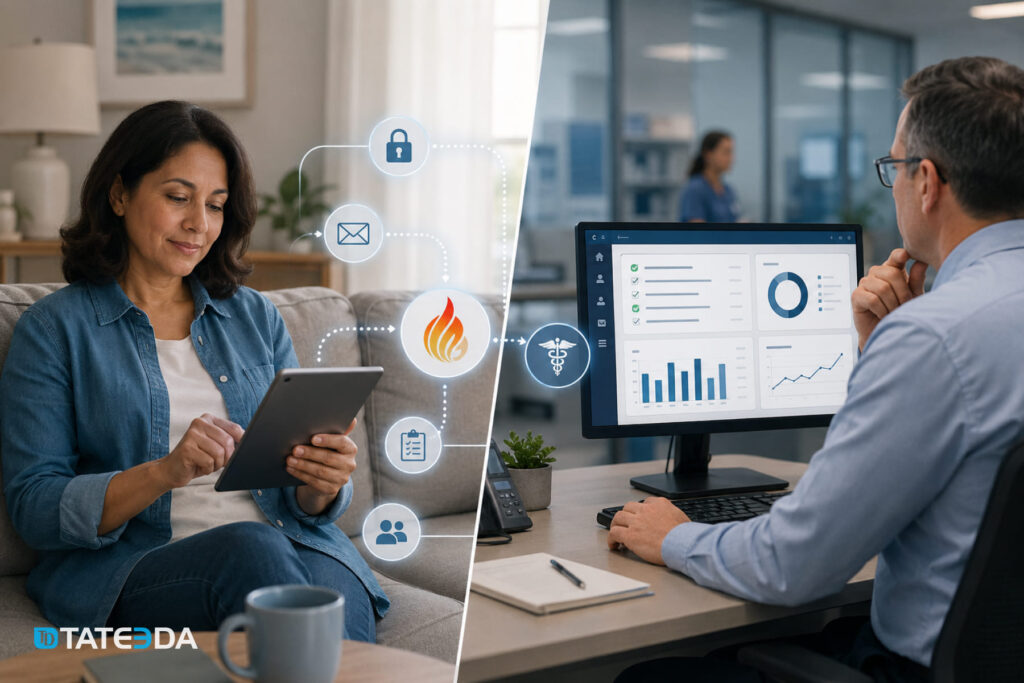
EHRs expose the data and the APIs. Post-visit automation requires a workflow layer that connects the two — an event-driven system that responds to encounter closure and routes to the right downstream action.
Key FHIR resources in the post-visit stack
Five FHIR R4 resources form the core of a post-visit automation implementation:
Encounter(status:finished) — The trigger event. The record contains diagnosis codes, care team, facility, visit type, and patient reference; all context downstream routing rules evaluate.DocumentReference— Represents the after-visit summary document. Key fields:context.encounterlinking to the encounter, and LOINC code 34133-9 specifying the document type.CommunicationRequest— Models the request to send a communication. Used for educational material assignment and follow-up message scheduling. Tracks category, recipient, payload, occurrence date/time, and status.Communication— Records fulfillment of eachCommunicationRequest. Complete audit trail of what was sent, when, through which channel, and patient response status.Task— Care team work items: reviewing non-responses to the 48-hour message, scheduling the 30-day check-in call, or escalating a positive symptom screening response.
Webhook and event-driven architecture
The Encounter -close event is the trigger for the entire post-visit workflow. Each major EHR exposes it differently.
Epic uses its SMART on FHIR application framework: CDS Hooks fires at encounter close for registered apps, and the Bulk FHIR API supports Encounter status change polling for batch processing use cases. Athenahealth offers native webhook subscriptions for encounter completion events, with the payload containing the encounter ID the workflow engine uses to pull structured clinical data. Oracle Health fires HL7 v2 ADT A03 (discharge) and A04 (register outpatient visit) messages on encounter close; FHIR Subscription resources are also supported in current Oracle Health R4 implementations. An integration engine — Rhapsody, Mirth Connect, or Azure Health Data Services — typically bridges HL7 ADT feeds to the FHIR-based workflow layer.
In practice, the workflow engine subscribes to encounter-close events, extracts the encounter context, evaluates routing rules against the diagnosis codes and visit type, and creates the appropriate DocumentReference , CommunicationRequest , and Task resources in sequence. TATEEDA builds these engines on AWS Lambda, Azure Functions, and .NET microservices depending on the client’s cloud environment.
EHR-specific integration notes
For Epic environments, the SMART on FHIR authorization layer enforces OAuth 2.0 scopes on every API call. Post-visit automation applications require patient-level read scopes for Encounter , Condition , MedicationRequest , and Patient resources, plus write scopes for CommunicationRequest and DocumentReference . These scopes require Epic’s App Orchard review process for production deployment — a lead time that should be factored into project planning.
For athenahealth environments, the API combines a proprietary RESTful interface with FHIR R4 endpoints. Encounter completion webhooks deliver a payload containing the athenahealth encounter ID; the workflow engine uses this to pull structured clinical data via subsequent API calls.
For Oracle Health environments, HL7 v2 interfaces remain common for real-time event delivery. The integration pattern typically involves an HL7 integration engine bridging ADT messages to the FHIR-based workflow layer, which then executes the post-visit automation sequence using FHIR R4 resources.
TATEEDA implements HL7 FHIR R4 APIs with OAuth 2.0 and SMART on FHIR authorization for Epic, Oracle Health, and athenahealth environments. Every engagement begins with a full API scope review against the target EHR environment before writing workflow code. The ONC’s SMART on FHIR authorization framework governs scope requirements across certified EHR implementations, and understanding those boundaries upfront prevents costly rework mid-project.
What Custom EHR Development Makes Possible That Configuration Doesn’t
Standard EHR configuration reaches a baseline. The practices and health systems that close care gaps, reduce readmissions, and improve adherence metrics are the ones that extend beyond that baseline — building automation that reflects their specific care model, patient population, and clinical workflow rather than a vendor’s generic template.
Specialty-specific post-visit workflows
Behavioral health, oncology, and cardiology each have post-visit automation requirements that a generic EHR configuration cannot address at the required granularity.
A behavioral health group practice in Chicago encountered a specific problem. Their EHR’s native post-visit messaging fired the same template for every outpatient encounter type, including both routine medication management visits and crisis stabilization visits. The messaging cadence and content appropriate for a patient leaving a crisis intervention are fundamentally different from the cadence for a monthly medication review. The EHR vendor’s configuration options did not support visit-type-specific messaging rules at that level of specificity.
A custom workflow layer, built to read the visit type code from the Encounter resource alongside the diagnosis codes resolved the routing problem. Crisis-visit encounters triggered an immediate same-day 24-hour check-in request routed to the on-call clinician for manual follow-up. Routine visits triggered the standard automated cadence. The EHR’s data already supported this distinction. The configuration layer did not. This pattern repeats across specialties: oncology practices need post-visit workflows that account for the treatment protocol phase, and cardiology practices need workflows that adapt to whether the visit was a routine follow-up or an acute event.
Care team routing logic beyond EHR defaults
Post-visit automation is not only patient-facing. The same Encounter -close event that triggers patient-facing messages can simultaneously trigger internal care team workflows: routing a non-response alert to the care coordinator when a patient doesn’t open the 48-hour message, escalating a patient who answers “yes” to a symptom check question to the clinical triage queue, or generating a care gap task when the 30-day message receives no response.
These internal routing rules require the same event-driven architecture as patient-facing messaging, directed at care team task queues rather than patient communication channels. Building them into the same workflow engine means a single trigger event propagates to both dimensions simultaneously, without synchronization overhead or separate maintenance cycles.
Analytics: measuring what post-visit automation delivers
The custom AI solutions and EHR integration work TATEEDA builds for healthcare clients always includes an analytics layer: what percentage of post-visit messages are opened within 24 hours, which education materials have the highest completion rates, and which follow-up cadences correlate with reduced readmissions for specific diagnosis groups.
These metrics require data capture at every step of the post-visit workflow — delivery timestamps, read receipts, patient response statuses, care team escalation rates — aggregated into a reporting layer that connects individual patient-level events to population-level trends. Practices that automate post-visit follow-up capture 3.5 times more patient satisfaction survey responses than those using manual outreach. That volume of feedback, connected to the clinical event that generated it, provides the signal needed to identify which workflows drive outcomes and which require adjustment.
For a comprehensive review of your current EHR automation posture, TATEEDA’s healthcare IT consulting services include a workflow gap analysis mapping your existing post-visit processes against what your EHR’s APIs actually support.
Conclusion
Post-visit automation is not a future EHR feature. The APIs exist today. Epic, Oracle Health, and athenahealth all expose the FHIR R4 resources and event mechanisms needed to build after-visit summary delivery, education material routing, and follow-up messaging at scale. What’s missing, in most cases, is the workflow layer that connects encounter closure to the right downstream action for each patient and each care model.
The clinical case for investing in that layer is well-documented: 17% fewer 30-day readmissions, a 32% lower readmission risk for patients who receive follow-up within 48 hours, and 3.5 times more patient satisfaction responses from practices that automate post-visit outreach. These numbers come from implemented programs, not projections.
TATEEDA builds custom EHR workflow extensions that turn encounter-close events into structured patient engagement — designed for HIPAA compliance from the first sprint, integrated with your specific EHR environment, and sized for your patient volume. Our senior engineers have built post-visit automation on Epic SMART on FHIR, athenahealth’s webhook API, and Oracle Health’s HL7 and FHIR R4 interfaces. Named to the Inc. 5000 four consecutive times, with 100+ engineers across the US and globally, TATEEDA integrates with your team within 48-72 hours.
Estimate your project cost or talk to a solution architect about building post-visit automation for your care model.
Frequently Asked Questions
What is post-visit automation in EHR software?
Post-visit automation in EHR software refers to the automated workflows that execute when a clinical encounter closes: after-visit summary generation and delivery, patient education material assignment based on diagnosis codes, and follow-up messaging sequences timed to the clinical risk profile of the visit. These workflows use data already structured in the EHR — diagnoses, medications, care instructions, follow-up orders — to initiate patient engagement without manual staff intervention.
Which FHIR resources support post-visit messaging and education delivery?
Five FHIR R4 resources form the core of a post-visit automation implementation. The Encounter resource (status: finished ) is the trigger event. DocumentReference represents the after-visit summary document, linked to the encounter via context.encounter . CommunicationRequest models the request to send a communication — used for education material assignment and follow-up message scheduling. Communication records fulfillment of each CommunicationRequest , providing a complete audit trail. Task represents care team work items that post-visit automation routes to specific clinical roles, such as reviewing patient non-responses or scheduling escalation calls.
How does automated follow-up reduce hospital readmissions?
A 2025 systematic review found that EHR-based follow-up automation tools reduced 30-day readmissions by 17% and 90-day readmissions by 28% across the programs studied. The mechanism: structured follow-up identifies early complications, prompts patients to complete next-step actions — fill prescriptions, schedule labs, attend follow-up visits — and surfaces non-responders to care teams before clinical deterioration progresses to readmission. Patients who receive follow-up contact within 48 hours of a visit show a 32% lower 30-day readmission rate than those who don’t. Outpatient follow-up visits, broadly, are associated with a 21% lower readmission risk.
Is automated patient messaging after a visit HIPAA-compliant?
Automated post-visit messaging is HIPAA-compliant when it meets specific architectural requirements. Every messaging vendor in the pipeline — SMS gateways, email service providers, notification platforms — must execute a BAA with the covered entity before PHI passes through their infrastructure. PHI in message content must be minimized: best practice sends a notification directing the patient to a secure portal rather than embedding clinical details in the message body. Delivery logs must be retained for a minimum of six years under the HIPAA Security Rule. Messages containing PHI must be encrypted in transit (TLS 1.2 or higher) and at rest (AES-256 or equivalent). Building on HIPAA-eligible cloud infrastructure — AWS or Microsoft Azure, each with HIPAA BAAs and eligible service configurations — satisfies the infrastructure layer requirements.
Can post-visit automation be customized by medical specialty?
Yes, and specialty-specific customization is the primary argument for custom development over standard EHR configuration. A behavioral health practice requires different messaging cadences and escalation logic than a cardiology practice or a primary care panel. Visit-type-specific routing requires reading Encounter context at a granularity that standard EHR configuration tools typically don’t support. Custom workflow engines built on the EHR’s FHIR API layer can implement routing logic as complex as the care model requires: specialty-specific message templates, condition-adaptive education routing, risk-stratified follow-up cadences, and care team escalation rules tied to specific patient response patterns. The EHR data already supports these distinctions; the configuration layer often does not.





![8 Medical Billing Automation Developers in California [2026]](https://tateeda.com/wp-content/uploads/2026/10/Cover.png)
