EHR Telehealth Module Development: How to Build a Secure, HIPAA-Compliant System

Slava Khristich



Vlad Nazarov
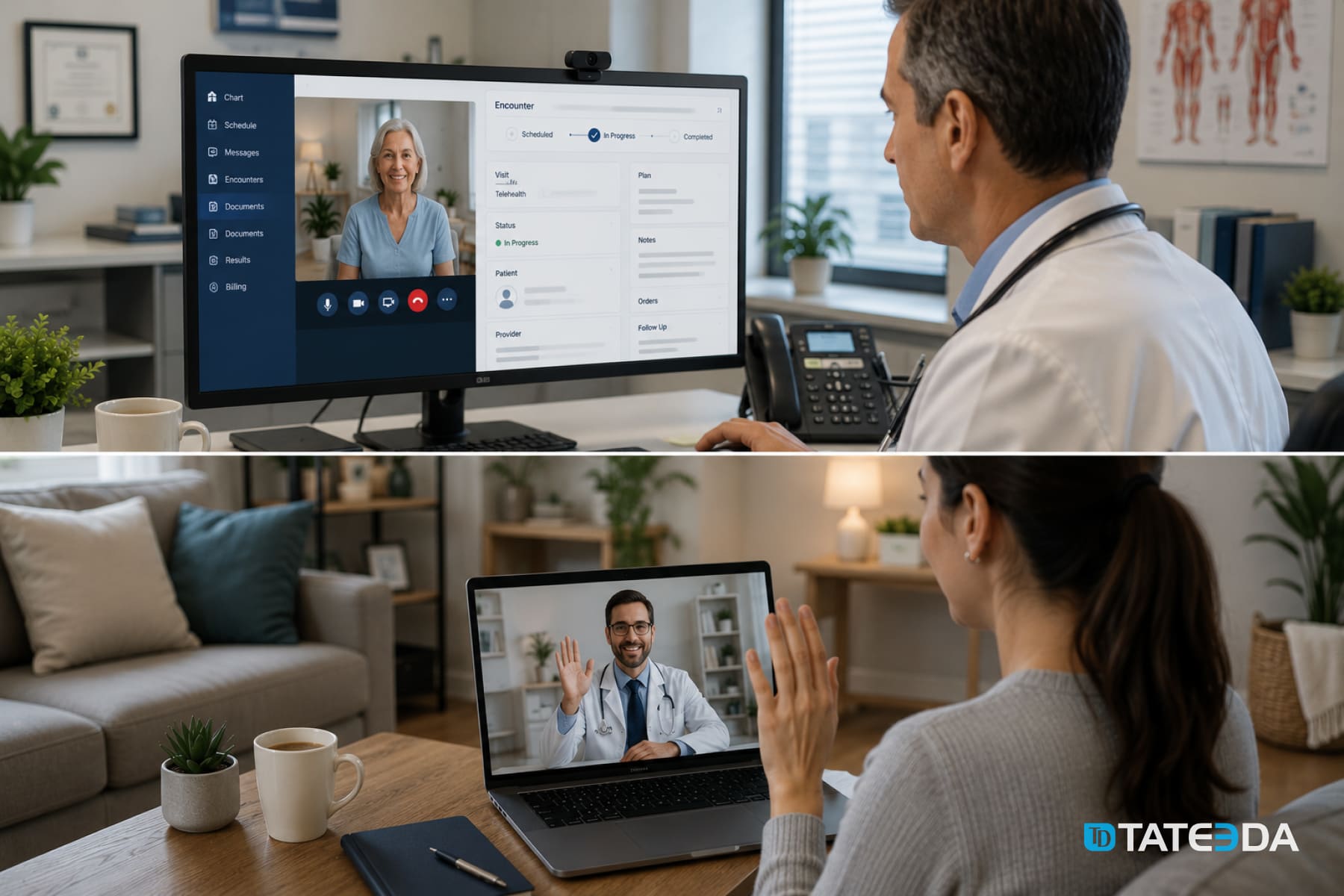
In this article, you’ll learn how an EHR telehealth module connects the patient chart, secure video visit, virtual waiting room, encounter write-back, billing triggers, and HIPAA-aware vendor review into one clinical workflow. We also explain when a custom build, embedded video SDK, or patient portal integration makes sense for healthcare teams.
Building a secure telehealth module inside an Electronic Health Record (EHR) system requires more than adding a video link to the patient chart. A usable EHR-embedded telehealth workflow usually needs five connected layers: clinical launch context, video infrastructure, a virtual waiting room, encounter note write-back, and a compliance architecture that covers every vendor and data path touching protected health information.
Many organizations start with the visible part: the call itself. That is understandable. Clinicians and patients need a working video session. But the clinical value of a telehealth module comes from everything around the video layer: the patient context that loads before the visit, the waiting-room queue, the encounter status, the documentation handoff, billing triggers, e-prescribing boundaries, and the audit trail.
This guide explains how to plan an EHR telehealth module with SMART on FHIR, FHIR R4 Encounter, DocumentReference, WebRTC-based video, patient portal workflows, and HIPAA-aware engineering. It also explains where native EHR features may be enough and where custom development becomes useful for health systems, digital health products, behavioral health groups, specialty clinics, and provider networks.
For healthcare organizations planning a custom build, TATEEDA’s telemedicine software development services, EHR/EMR software development services, and patient portal development services can support the architecture, integration, testing, and long-term product work behind this type of system.
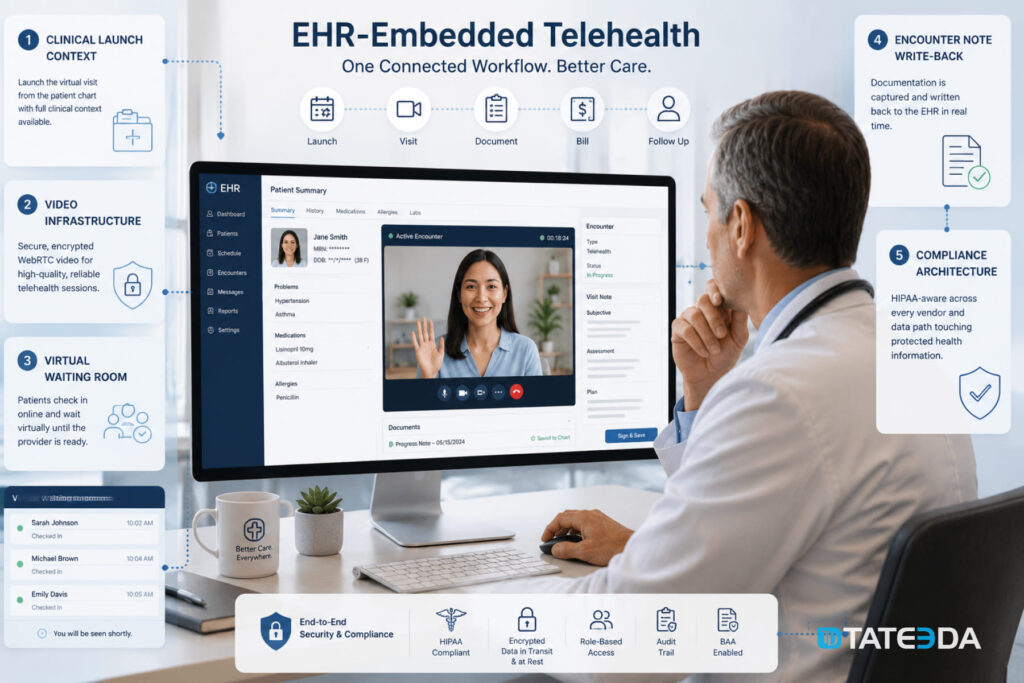
| Key takeaways: ✅ An EHR telehealth module is not just a Zoom, Teams, or video SDK link. It should connect patient context, appointment data, video session state, documentation, billing, and audit records. ✅ SMART on FHIR can help launch the telehealth module from inside the EHR with patient, encounter, and practitioner context where the EHR supports it. ✅ WebRTC-based video requires careful review of signaling, media encryption, TURN relay configuration, recording storage, and Business Associate Agreement (BAA) coverage. ✅ A virtual waiting room should behave like a queue engine, not a static landing page. It needs patient arrival state, practitioner notification, reconnection handling, and no-show logic. ✅ Encounter write-back should be validated against the target EHR. FHIR Encounter and DocumentReference can support this pattern, but the exact API behavior depends on the vendor and client configuration. ✅ Controlled-substance prescribing through telehealth should be scoped carefully. ✅ FHIR MedicationRequest can represent medication-order data. ✅ EPCS and DEA-related requirements involve identity proofing, authentication, certified applications, and pharmacy transmission rules that go beyond a FHIR write operation. |
Why TATEEDA is qualified to tell you about HIPAA-aware telehealth design
TATEEDA has extensive experience building healthcare software solutions that must meet strict security, privacy, and interoperability requirements. Our teams regularly work with telehealth platforms, EHR integrations, patient portals, remote monitoring systems, and other healthcare applications where protected health information (PHI) flows across multiple technologies and vendors.
Because of this hands-on experience, we understand that HIPAA-aware telehealth design requires a comprehensive review of every component involved in handling patient data, including:
- video providers;
- cloud storage platforms;
- transcription services;
- notification and messaging vendors;
- integration middleware;
- EHR API gateways.
Our healthcare software engineers and architects help organizations evaluate these dependencies, map PHI flows, identify compliance risks, and design secure telehealth ecosystems that align with operational and regulatory requirements.
Table of Contents
The five-layer architecture of an EHR telehealth module
A practical EHR telehealth module can be viewed as five engineering layers.
| Layer | What it does |
|---|---|
| Layer 1: Launch context | Opens the telehealth module from the EHR or portal with the right patient, encounter, practitioner, and appointment context. |
| Layer 2: Video infrastructure | Provides secure audio/video sessions through WebRTC, a managed video SDK, or a specialized video platform covered by the required agreements. |
| Layer 3: Virtual waiting room | Tracks patient arrival, queue state, practitioner notification, no-shows, timeouts, and re-entry after dropped connections. |
| Layer 4: Encounter write-back | Updates the encounter, attaches notes or visit artifacts, supports billing triggers, and links the telehealth visit back to the clinical record. |
| Layer 5: Compliance architecture | Maps PHI flows, BAA coverage, recording storage, access controls, audit logging, retention, and vendor risk. |
The video session is only one component. A mature telehealth module should know which patient the visit belongs to, which encounter it should update, who joined the call, how long the session lasted, what note was written, where any recording or transcript lives, and which downstream workflows should start when the visit closes.
What “EHR-embedded” actually means
The difference between a video link and a telehealth module
A video link can start a call. A telehealth module supports a clinical workflow.
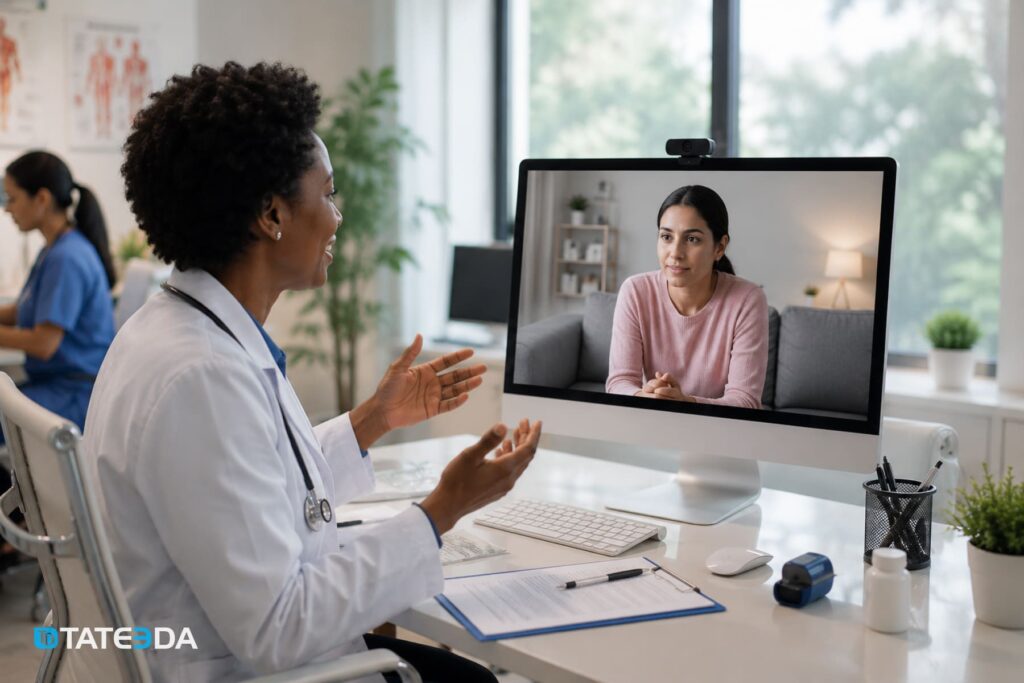
Imagine a behavioral health organization that adds a simple video-meeting button to its EHR. For a few weeks, the team is satisfied because virtual visits are easier to start. Then operational gaps appear. Some clinicians copy patient names into the video platform manually. Some recordings are stored outside the intended account configuration. Some no-shows are not reflected in the encounter. Staff need to reconcile which video session belongs to which patient. Documentation still requires manual steps.
That is not a video problem. It is an integration problem.
A true telehealth module should open from the chart or appointment context, pass the needed identifiers securely, manage the session state, and write the encounter outcome back to the EHR or connected clinical system. The module should also adhere to the same HIPAA, access control, and audit expectations as the rest of the healthcare platform.
TATEEDA’s custom healthcare software development services cover these broader clinical and operational workflows: EHR/EMR systems, patient portals, telehealth apps, billing systems, remote monitoring tools, and healthcare integrations.
What the clinician’s experience should look like
In a well-planned telehealth module, the clinician starts from the patient chart, schedule, or visit queue. The telehealth session opens with the correct context already in place for the visit. The clinician should not have to copy the patient name, date of birth, appointment ID, or encounter ID into a separate platform.
The system should know:
- which patient is being seen;
- which appointment or encounter the session belongs to;
- which practitioner started the visit;
- whether the patient is waiting, in-session, disconnected, completed, or no-show;
- where the encounter note or visit artifact should be stored;
- which billing or follow-up workflow should start when the visit ends.
This reduces manual work and lowers the risk of attaching documentation to the wrong patient record.
What the patient experience should look like
The patient experience should be equally controlled. A patient receives a secure appointment link through the approved channel: portal message, appointment reminder, secure SMS link, email notification, or another workflow approved by the organization.
After opening the link, the patient enters a virtual waiting room. The system confirms identity according to the organization’s policy, checks visit timing, shows queue status, and alerts the care team that the patient has arrived.
A browser-based workflow may be appropriate for many cases, especially when the product goal is to avoid app downloads. Some organizations may still require a mobile app for branding, device permissions, biometric access, remote patient monitoring, or chronic-care workflows. TATEEDA’s La Maestra patient portal case study is a useful example of patient-facing healthcare software with secure access, mobile delivery, and an admin layer for content management.
Layer 1: SMART on FHIR launch context
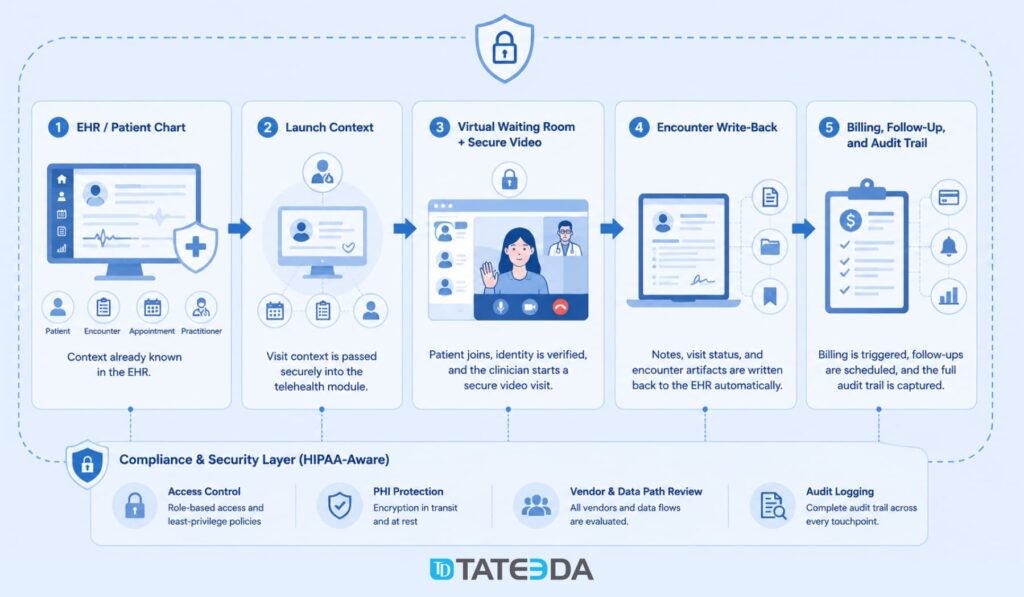
How SMART on FHIR passes context at launch
SMART App Launch is a standard pattern for launching healthcare applications from an EHR or other health IT system. It is based on OAuth 2.0 and allows an application to receive clinical context during the authorization process when the host system supports that workflow.
For an EHR-embedded telehealth module, SMART on FHIR can help pass references such as:
- Patient resource ID;
- Encounter resource ID;
- Practitioner or user context;
- FHIR server base URL;
- authorized scopes for reading or writing selected resources.
The exact context depends on the EHR, the SMART implementation, the app registration, the organization’s security policy, and the permissions granted to the app. The implementation team should validate the launch behavior in the vendor sandbox and again in the client’s configured environment.
EHR launch vs. standalone launch
A telehealth product may need two launch paths.
EHR launch is used by clinicians. The clinician starts inside the EHR, schedule, or chart. The telehealth module receives context from the host system, so the visit opens with the right patient and encounter references.
Standalone launch may be used by patients or care-team users outside the EHR. The patient opens a secure link from an appointment notification, authenticates or verifies identity, and enters the virtual waiting room.
Most telehealth modules need both. The clinician workflow should fit the EHR. The patient workflow should fit the portal, mobile app, or secure-link experience.
OAuth 2.0, PKCE, and secure launch design
Browser-based apps should use modern OAuth patterns, including Proof Key for Code Exchange (PKCE), where appropriate. PKCE helps protect public clients from authorization-code interception.
For server-side integrations, confidential clients may use different authorization patterns, such as backend service authorization, depending on the EHR vendor and security model. These flows should be reviewed with the client’s security team and the EHR vendor before production use.
A safe design should avoid putting raw patient identifiers, encounter identifiers, or PHI-heavy context directly into URLs. A better pattern is a short-lived signed launch token that resolves to server-side context after authorization. The token should expire quickly, be single-use where possible, and be logged for audit review.
Requesting FHIR scopes
A telehealth module should request only the access it needs. Overbroad scopes create avoidable privacy and security exposure.
Depending on the implementation, the module may need permission to read Patient and Encounter resources, attach a DocumentReference, update an Encounter, or read appointment context. If the module supports prescribing workflows, medication-related permissions may be needed, but FHIR permissions do not replace EPCS requirements.
Scope examples should be treated as planning inputs, not a universal checklist. Epic, Oracle Health, athenahealth, and custom EHR environments may expose different scopes, resources, write behaviors, and approval processes.
TATEEDA’s EHR/EMR software development team can help map these access decisions into a working integration plan.
Layer 2: Video infrastructure
WebRTC and the media encryption question
WebRTC is a browser technology for audio, video, and data exchange. A telehealth module may use WebRTC directly or through a managed video SDK.
A healthcare implementation should review three parts of the video path:
Signaling: how the application exchanges session setup information.
Media transport: how audio and video packets move between participants.
Network traversal: how TURN or relay servers help the call work across restrictive networks.
TLS protects signaling channels such as HTTPS and WebSocket traffic. Media traffic requires its own protection. WebRTC commonly uses DTLS-SRTP for encrypted media, but teams should verify the SDK, media server, and relay configuration rather than assume the default is safe in every deployment.
This is especially important when calls may be recorded, transcribed, routed through third-party media servers, or integrated with AI documentation.
Managed SDK vs. custom WebRTC
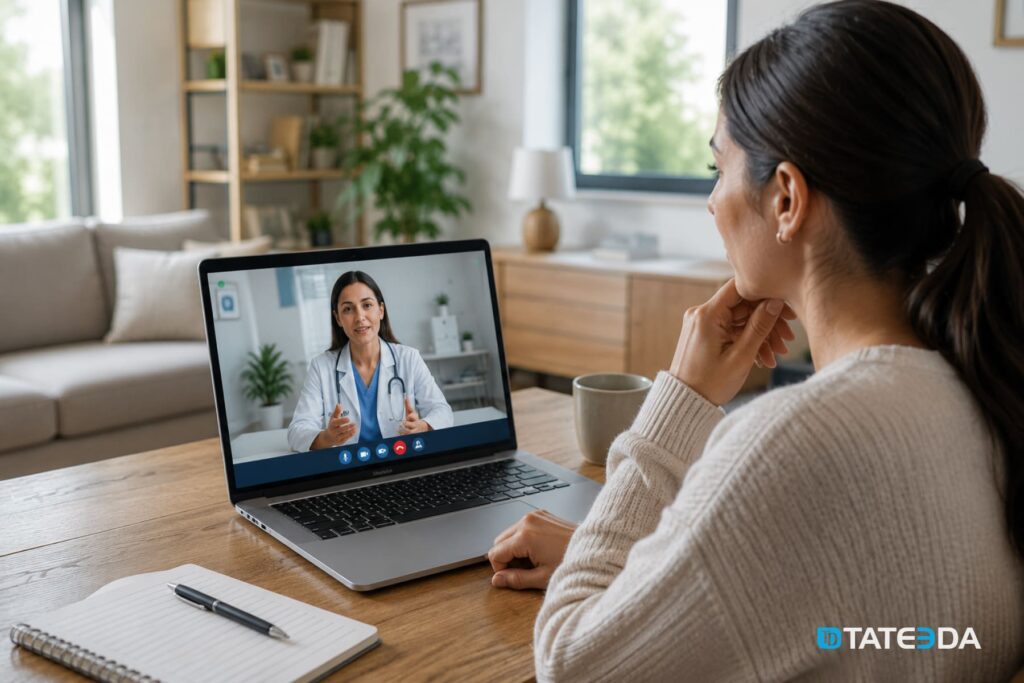
Most telehealth teams should not build the entire WebRTC layer from scratch. A managed SDK can shorten delivery time and reduce infrastructure burden. The custom engineering effort should focus on the clinical integration around the call: launch context, queue logic, patient portal, note write-back, billing triggers, and audit records.
Common video infrastructure options include Daily, Vonage Video API, Twilio Video, Zoom Video SDK, and other healthcare-capable providers. Product names and contract terms change, so every selection should be checked against current vendor documentation and BAA availability.
A vendor review should answer:
- Does the vendor sign a BAA for the exact product and account tier?
- Where are recordings stored?
- Can recordings be disabled?
- Can recordings be routed to client-controlled storage?
- What audit logs are available?
- What webhooks or callbacks exist for session started, participant joined, participant left, recording complete, and session ended?
- Can the SDK work inside the intended EHR or portal frame?
- Does the SDK support the required browser and mobile environments?
- Does the vendor support the required region and data-handling terms?
When custom WebRTC infrastructure makes sense
Custom WebRTC infrastructure may make sense for unusual cases: medical device streaming, imaging-heavy workflows, special data residency constraints, proprietary media processing, advanced multi-party care conferences, or integrations where the media layer is part of the product’s core intellectual property.
For common behavioral health, primary care, specialist consultation, or follow-up visits, a managed SDK plus custom clinical integration is usually the better engineering decision.
TATEEDA’s VentriLink remote heart monitoring case study shows related healthcare engineering concerns: live data from a connected medical device, clinician-facing review, event logging, and patient-oriented mobile experience. The use case is not identical to telehealth video, but the architecture concerns overlap: secure transport, patient context, clinician workflow, and healthcare data handling.
Layer 3: Virtual waiting room architecture
Patient queue state machine
A virtual waiting room should be modeled as a state machine, not a static page. At minimum, the queue should track these states:
- Confirmed: the appointment exists and the secure session link has been issued.
- Waiting: the patient has joined the waiting room.
- Ready for clinician: identity and timing checks have passed, and the patient can be seen.
- In call: the clinician has started the session.
- Disconnected: the session dropped, but the patient can still return within the reconnection window.
- Completed: the visit ended normally.
- Abandoned or no-show: the patient left before the clinician joined, or the appointment time passed without attendance.
- Cancelled: the appointment was cancelled before the session began.
Each transition can trigger a workflow. When the patient joins, the clinician may receive an alert. When the call starts, the Encounter can move to an in-progress state if the EHR supports that update. When the visit ends, the documentation and billing workflows can begin.
Practitioner notification workflow
The virtual waiting room should notify the care team through the channel they already use. That may be an EHR inbox, an in-app alert, a care-team dashboard, a mobile push notification, or a scheduling queue.
The notification should contain the minimum useful context: patient display name, appointment type, scheduled time, queue status, and a secure action link. It should not expose more PHI than necessary.
If clinicians have to open a separate dashboard every few minutes just to see whether a patient has arrived, they will work around the system. The queue should appear where their work already happens.
Session timeout and re-entry handling
Network interruptions are normal. The module should support a reconnection window, usually defined by the organization’s workflow and clinical policy. During that window, the patient can return without receiving a new link, and the clinician can see that the patient disconnected.
If the patient cannot reconnect, the module should update the session state and route the case for follow-up. The encounter should not sit in an ambiguous state.
Timeout logic should cover:
- patient disconnect;
- clinician disconnect;
- both participants leaving;
- patient waiting too long;
- clinician not joining;
- session link opened too early;
- session link opened after expiration.
Asynchronous telehealth and store-and-forward workflows
Not every telehealth encounter is a live video call. Store-and-forward telehealth is common in dermatology, wound care, behavioral health check-ins, post-operative follow-up, and remote monitoring programs.
Patients may submit images, videos, symptom forms, device readings, or questionnaires before a clinician reviews the case. In FHIR R4, artifacts such as images and video clips can be represented through resources such as Media, while structured patient responses may use QuestionnaireResponse. The exact model depends on the EHR and integration design.
TATEEDA’s experience with connected healthcare systems and patient-facing apps can support this kind of hybrid telehealth architecture, especially where virtual visits connect with remote monitoring, portals, or device data.
Layer 4: Encounter note write-back
Updating the encounter after the session closes
When a telehealth session ends, the clinical system needs a reliable record of what happened. In a FHIR-based workflow, the Encounter resource can represent the visit context, status, class, period, patient, practitioner, and related documentation.
The FHIR R4 Encounter specification recognizes that encounter workflows vary by setting and organization. That matters. A telehealth module should not assume that every EHR treats virtual visits the same way.
A practical write-back plan may include:
- updating Encounter.status according to the local workflow;
- setting Encounter.period.end to the session end time where appropriate;
- linking the practitioner and patient references;
- recording telehealth visit type or encounter class using the client’s approved terminology mapping;
- attaching the clinical note or visit artifact;
- triggering billing or charge-capture review if required.
For virtual encounters, some implementations may use HL7 ActCode values such as VR, but the exact code mapping should be confirmed in the client’s EHR sandbox and production configuration.
Attaching clinical notes through DocumentReference
The clinician’s note, after-visit summary, visit artifact, recording reference, or transcription output may be connected to the encounter through DocumentReference, depending on the EHR’s document model.
A DocumentReference may include:
- document type;
- document status;
- encounter reference;
- patient reference;
- author or authenticator;
- creation timestamp;
- attachment metadata;
- binary or external document reference.
If an AI documentation assistant drafts a SOAP note from the visit transcript, the generated content still needs clinical review and approval before it becomes part of the record. The DocumentReference structure can store or reference the note, but it does not solve clinical validation by itself.
E-prescribing and controlled-substance scope
Telehealth prescribing requires special care, especially for controlled substances. FHIR MedicationRequest may represent a medication order or prescription intent in some workflows, but it is not the same as a full e-prescribing or EPCS workflow.
Electronic prescribing of controlled substances in the United States is governed by requirements such as authentication, access control, signing, audit, and application controls under 21 CFR Part 1311. Telehealth prescribing rules and DEA policy have also changed over time, so a product team should not build around a single temporary date without current legal review.
A safer engineering approach is to plan prescribing boundaries early:
- Will the telehealth module support prescribing at all?
- Will it support controlled substances?
- Will prescribing remain inside the EHR’s native eRx/EPCS workflow?
- Will the telehealth module only trigger the clinician back to the EHR medication workflow?
- Which vendor handles identity proofing, two-factor authentication, prescription signing, and pharmacy transmission?
- What audit records are required?
If controlled-substance prescribing is in scope, involve compliance leadership, counsel, and the EHR or eRx vendor before finalizing architecture.
Billing trigger after virtual visits
When the virtual encounter reaches the organization’s completed state, the billing workflow may need to start. This can be handled through a webhook, event bus, interface engine, FHIR Subscription where supported, or an internal workflow event in a custom EHR.
The trigger can create a draft superbill, route the visit to coding review, mark telehealth-specific place-of-service details, or queue the encounter for billing validation.
For organizations building virtual care and billing together, TATEEDA’s medical billing software development services can help connect telehealth encounters with claims, patient balances, and payment workflows.
Layer 5: HIPAA-aware compliance architecture
PHI scope in a telehealth session
A telehealth session can generate PHI across several channels:
- video and audio streams;
- session metadata;
- patient identity verification events;
- chat messages;
- file uploads;
- screen sharing;
- clinical notes;
- recordings;
- transcripts;
- AI-generated summaries;
- device readings;
- portal notifications.
Some of these records may become part of the designated record set. Others may be operational logs. The organization should classify each artifact during architecture planning.
The HIPAA Security Rule requires technical safeguards for electronic protected health information. In practical product terms, that means the system needs access controls, audit controls, integrity controls, transmission security, and policies that match the risk profile of the workflow.
BAA chain across vendors
Every vendor that creates, receives, maintains, or transmits PHI on behalf of a covered entity or business associate may need a Business Associate Agreement.
A telehealth module may involve:
- video SDK vendor;
- cloud storage provider;
- transcription vendor;
- AI documentation vendor;
- SMS or notification vendor;
- email vendor;
- EHR API gateway;
- integration middleware;
- analytics or logging vendor;
- support and monitoring tools.
The BAA review should be product-specific. A vendor may offer a BAA for one product but not another. A healthcare plan or enterprise account may be required. Some features, such as cloud recording, transcription, or AI summaries, may need separate configuration or may not be covered under the same terms.
TATEEDA can work under appropriate BAA, confidentiality, and security arrangements when required by the engagement. Our healthcare engineering process starts by mapping data flows, vendor responsibilities, PHI boundaries, and security controls before implementation begins.
Recording storage, retention, and audit logging
Recording telehealth visits is not always necessary. In many clinical settings, disabling recording may be the safer default. If recordings are required, the product team should define:
- who can start recording;
- whether patient consent is required;
- where recordings are stored;
- how recordings are encrypted;
- how long recordings are retained;
- who can access them;
- how access is logged;
- how deletion or legal hold is handled;
- whether recordings become part of the medical record.
Retention rules vary by state, specialty, payer contract, record type, and organizational policy. HIPAA documentation retention rules are not the only factor. Medical record retention, malpractice rules, Medicaid requirements, and internal policy may all matter.
Audit logs should capture important security and clinical events:
- session created;
- patient joined;
- clinician joined;
- session started;
- session ended;
- recording started or stopped;
- recording accessed;
- transcript generated;
- FHIR write-back attempted;
- FHIR write-back completed or failed;
- note exported;
- message sent;
- vendor callback received.
Append-only storage, SIEM integration, and tamper-evident logging can support integrity review, but the final design should follow the organization’s security policy and risk analysis.
EHR platform-specific integration considerations
Epic environments
Epic environments can support patient-context workflows, SMART on FHIR apps, MyChart-related experiences, and customer-specific integration paths. However, exact support depends on the Epic version, licensed modules, app registration, security review, and client environment.
For telehealth modules, discovery should confirm:
- whether the workflow launches inside Epic, from the portal, or from a separate application;
- what patient and encounter context is available at launch;
- which FHIR resources can be read or written;
- whether DocumentReference write-back is permitted;
- how virtual visit documentation is handled;
- whether billing triggers should run through Epic, an interface engine, or a separate billing module;
- what review is required for production use.
Avoid assuming that any generic SMART scope or FHIR write operation automatically works in a specific Epic deployment. Confirm in sandbox, then confirm again with the client’s Epic team.
Oracle Health environments
Oracle Health Millennium exposes FHIR R4 resources relevant to telehealth workflows, including Patient, Encounter, DocumentReference, and Communication in many contexts. Exact capabilities depend on the client’s Oracle Health environment, enabled APIs, implementation agreements, and integration design.
Discovery should confirm:
- which FHIR R4 endpoints are available;
- whether the module can update Encounter data;
- how virtual encounter class or type should be represented;
- whether DocumentReference write-back is accepted;
- whether portal delivery uses Oracle tools, a custom portal, or a third-party patient app;
- whether HL7 v2 feeds, integration-engine events, or other interface paths are needed.
For Oracle Health integrations, do not assume FHIR Subscription or push-event behavior unless the client environment confirms it.
athenahealth environments
athenahealth offers developer and integration options, but exact event names, webhook behavior, note access, portal messaging, and production requirements should be confirmed against current athenahealth documentation and the client’s enabled configuration.
For telehealth workflows, discovery should answer:
- which appointment, encounter, clinical note, and patient APIs are available;
- how session state should map to the athenahealth encounter workflow;
- whether note write-back is supported for the desired document type;
- which portal messaging features are available;
- what authentication and tenant-specific requirements apply;
- what rate limits or operational constraints exist.
Avoid publishing exact athenahealth webhook names or endpoint paths unless they come from current approved documentation.
Custom EHR environments
A custom EHR may not support SMART on FHIR at first. That does not prevent telehealth integration, but it changes the architecture.
A safe custom launch pattern can use a short-lived signed token instead of raw patient or encounter identifiers in the URL. The token resolves server-side after authentication and authorization. The session should expire quickly and should not be reusable after the intended launch.
A custom EHR can also define its own internal events:
- appointment confirmed;
- patient checked in;
- patient entered waiting room;
- clinician joined;
- session ended;
- encounter completed;
- note signed;
- superbill generated.
If the system later needs SMART on FHIR support, the team can introduce a FHIR facade or standards-based launch flow over time.
USCDI and certified health IT considerations
If the telehealth module is part of certified health IT or interacts with certified EHR workflows, review current ONC certification requirements and the applicable USCDI version during planning.
USCDI-related requirements can affect telehealth architecture because virtual visits may touch patient demographics, insurance information, clinical notes, SOGI data, care-team details, medications, problems, procedures, and visit documentation.
A practical product review should include:
- which USCDI version applies to the client’s certification timeline;
- which clinical note types need to be represented;
- which Patient fields are required;
- which Encounter and DocumentReference mappings are expected;
- whether the telehealth module writes data into a certified EHR or only reads data from it;
- whether the module needs to support patient access, export, or portal display workflows.
Do not treat USCDI as a cosmetic data checklist. It can affect how the telehealth module models patient data, clinical notes, and document types.
Build, buy, or embed?
When building a custom EHR telehealth module makes sense
A custom telehealth module may make sense when:
- The EHR is custom-built or heavily extended;
- the clinical workflow requires deep connection between video, chart, documentation, billing, and follow-up;
- the specialty has workflows that general telehealth platforms do not handle well;
- virtual visits need to connect with remote patient monitoring or medical devices;
- the patient experience must be integrated into a branded portal or mobile app;
- the organization needs custom queue logic, care-team routing, or multi-party visits;
- documentation must write back to a specific EHR data model;
- the product supports multiple EHR environments.
Custom development gives the organization more control, but it also creates responsibility for security, vendor management, support, QA, updates, and compliance review.
When embedding a third-party video SDK is better
For many product teams, the best path is to embed a managed video SDK and build the clinical layers around it. The video SDK handles media transport, device permissions, participant events, and call infrastructure. The custom module handles healthcare-specific logic: launch context, patient identity, waiting room, documentation, audit logs, billing triggers, and portal workflows.
This approach avoids spending months building commodity video infrastructure while still giving the organization control over the clinical workflow.
A commercial telehealth platform may be appropriate when the clinical program can operate outside the EHR. If the encounter must write back into the EHR, trigger billing, coordinate patient portal delivery, and preserve a connected audit trail, a standalone platform may create synchronization work that becomes expensive to maintain.
How TATEEDA approaches telehealth module development
In a typical TATEEDA telehealth-module engagement, the first step is not coding. It is an architectural discovery.
The team maps:
- clinical workflow;
- EHR environment;
- patient portal requirements;
- video-provider options;
- BAA chain;
- PHI flow;
- documentation requirements;
- billing triggers;
- prescribing boundaries;
- security controls;
- deployment and support model.
From there, the project can be phased. A practical first phase may include secure launch, video session creation, virtual waiting room, and basic encounter write-back. Later phases may add asynchronous telehealth, remote patient monitoring, AI-assisted documentation, patient education routing, billing integration, or custom mobile features.
TATEEDA’s telemedicine software development services cover custom telehealth platforms, video communication, EHR integration, patient-facing apps, e-prescription workflows, medical image sharing, remote patient monitoring, and secure healthcare data exchange.
The La Maestra patient portal case study shows TATEEDA’s experience with patient-facing healthcare apps, secure portal access, mobile delivery, and admin content workflows. The VentriLink case study shows experience with connected healthcare data, biosensor integration, clinician review, and mobile health interfaces.
Frequently asked questions
How long does it take to build a telehealth module inside an EHR?
A production-ready EHR telehealth module often takes several months, but the exact timeline depends on the EHR environment, video provider, launch model, waiting-room requirements, documentation write-back, security review, and patient portal scope.
A lighter first phase may focus on secure launch, video sessions, queue logic, and basic encounter updates. A larger build may include asynchronous telehealth, RPM data, AI documentation, billing triggers, e-prescribing boundaries, and multi-EHR support.
What video SDK should I use for a HIPAA-aware telehealth platform?
There is no universal best SDK. Teams often evaluate options such as Daily, Vonage Video API, Twilio Video, Zoom Video SDK, or other healthcare-capable providers. The right choice depends on BAA availability, recording needs, callback events, embedding requirements, cost model, browser support, mobile support, and storage configuration.
Do not choose based on brand recognition alone. Choose based on the exact workflow, contract terms, security configuration, and integration behavior.
What is SMART on FHIR, and why does a telehealth module need it?
SMART on FHIR is an application-launch and authorization model that allows healthcare apps to open from inside an EHR with clinical context. A telehealth module can use it to receive patient, encounter, and practitioner context without asking the clinician to re-enter data.
Without a context-aware launch, the telehealth module behaves like a separate tool. With a context-aware launch, it can become part of the clinical workflow.
Does my telehealth module need to handle controlled-substance prescribing?
Only if the organization’s clinical workflow requires it. Behavioral health, pain management, primary care, addiction medicine, and other specialties may need controlled-substance prescribing support.
If controlled substances are in scope, do not treat this as a simple FHIR permission. Review eRx and EPCS workflows, DEA-related rules, identity proofing, two-factor authentication, certified prescribing applications, pharmacy transmission, audit records, and clinician responsibilities.
How does a telehealth session write notes back to the EHR?
A common FHIR-based pattern is to connect the session to an Encounter and attach the note or document through DocumentReference. The exact write-back process depends on the EHR and the approved integration model.
Some systems may allow FHIR write-back. Others may require interface-engine routing, document APIs, HL7 messages, or manual review. The workflow should be tested in the client’s environment before go-live.
What happens if a patient does not have a portal account?
The module should have a fallback path. Depending on policy, that may include portal activation support, secure SMS link, phone outreach, print instructions, or a staff task.
The actual delivery channel should be logged. The patient should not disappear from the workflow just because portal delivery failed.
Conclusion
A secure EHR telehealth module is not a video feature. It is a connected clinical workflow: context launch, video session, waiting room, documentation, billing triggers, patient communication, and compliance controls.
The strongest implementation treats the video call as one part of the system. It validates EHR launch context, protects media transport, manages queue state, writes encounter data back correctly, controls PHI across the vendor chain, and supports clinical operations after the call ends.
For many teams, the best architecture is not “build everything” or “buy everything.” It is a measured combination: use a proven video SDK where it makes sense, then build the clinical integration layers that make telehealth usable inside the EHR.
TATEEDA builds custom healthcare software for U.S. providers, digital health companies, and healthtech teams that need secure telehealth, patient portals, EHR/EMR integration, remote monitoring, and healthcare workflow automation. If your organization is planning an EHR-embedded telehealth module, TATEEDA can help assess the architecture, choose the integration model, map the BAA chain, and build the software layers that make the visit work from patient arrival to clinical documentation.
The video call is the easy part. The clinical system around it is where the engineering work begins.




![8 Medical Billing Automation Developers in California [2026]](https://tateeda.com/wp-content/uploads/2026/10/Cover.png)
