Client Side Rendering vs Server Side Rendering for Web Application Development

Andrii Morchenko


Vlad Nazarov

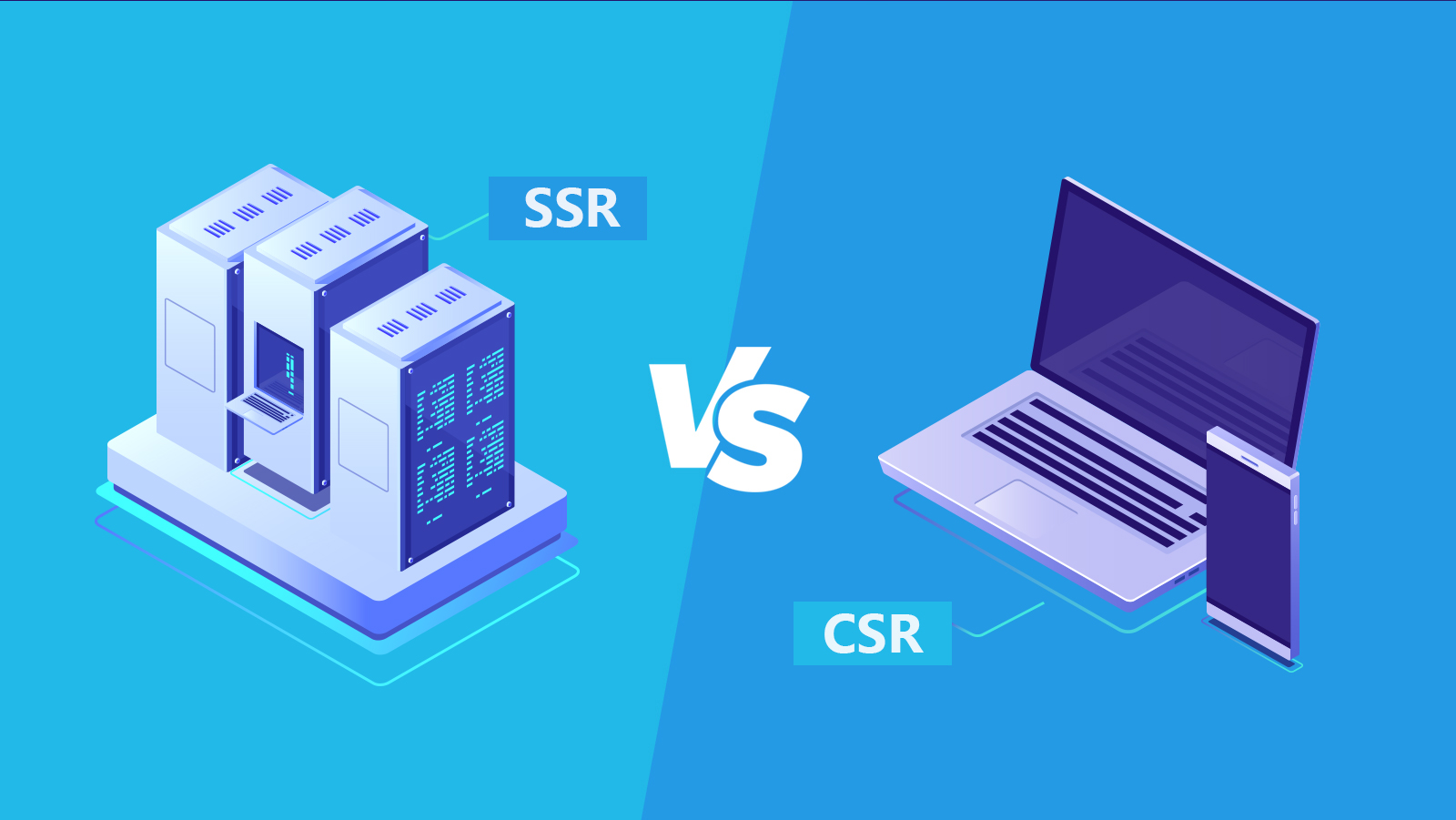
From this article, you’ll learn how CSR and SSR compare in 2025 for performance, SEO, security, and developer workflows, and you’ll get a clear client-side rendering definition in practical terms.
What does client-side rendering mean? We explain when each approach helps most, outline a simple route-by-route rubric, and answer the question of what client-side rendering means in real projects.
You will also see how to combine SSG, ISR, streaming SSR, React Server Components, islands, and edge rendering, with guidance on Core Web Vitals, caching, and offline support. As a custom web development company in San Diego, TATEEDA has more than 10 years of experience delivering healthcare software across backend, front-end, and mobile platforms, so the guidance here reflects real implementation choices and results.
In short, the client-side rendering definition is that the browser loads an HTML shell and JavaScript, then renders the UI on the client; in 2025, teams use this to deliver app-like interactivity with selective hydration, RSC-assisted data fetching, and fast in-app navigation.
When a user types a website’s URL into a browser’s address/search bar, the browser sends a request to the website’s server, and the application returns the response for the requested route. From there, the page can be rendered primarily on the server (server-side rendering, SSR) or primarily in the browser using JavaScript (client-side rendering, CSR). While most users won’t consciously notice which approach is used, developers often need to decide how each route should render because it affects performance, SEO, security, developer experience, and hosting costs.
| Important for 2025: Rendering isn’t a strict either/or anymore. Most modern apps mix strategies—SSR, CSR, static site generation (SSG), incremental static regeneration (ISR/revalidation), streaming SSR, React Server Components (RSC), islands/partial hydration, and edge rendering—choosing the best fit per page or even per component. |

Build Faster Web Apps with the Right Rendering Strategy
We build fast web apps with SSR, CSR, SSG/ISR, RSC, and edge rendering—plus nearshore software development services and custom AI solution development.
Table of Contents
SSR vs CSR
Server-side rendering (SSR) is a well-established approach where HTML is generated on the server and sent to the browser. Because meaningful HTML arrives immediately, users typically see content within milliseconds, and crawlers can index that content reliably.
Client-side rendering (CSR) loads an initial HTML shell and JavaScript bundle(s) into the browser; JavaScript then fetches data and renders the UI directly on the client. With CSR, the browser doesn’t need a separate HTML document for every route; instead, it updates the view dynamically. Initial load can be slower (JS must download/parse), but subsequent navigations feel snappy because the app reuses the already-loaded shell and code.
Neither CSR nor SSR is inherently “better.” Each has strengths and trade-offs. In 2025, it’s common to combine them with additional patterns:
- SSG + ISR: Prebuild HTML for stable content and revalidate it on a schedule.
- Streaming SSR: Send HTML to the browser progressively for faster time-to-content.
- RSC (React Server Components): Move data fetching and heavy logic to the server, ship less JavaScript to the browser, and hydrate only what truly needs to be interactive.
- Islands/partial hydration: Render most content as static HTML and hydrate small interactive “islands.”
- Edge rendering: Run SSR close to users globally to reduce latency.

Learn more: ➡️ The Top 8 Web Development Companies in San Diego
Progressive Web Apps (PWAs) can be built with any of these. “Offline” capability is not tied to CSR or SSR; it depends on service workers and a caching strategy (precache + runtime caching). In CSR terms: you still load HTML, CSS, and JS more than “one time.” Assets are cached, versioned, and code-split by route; they update as your app evolves. Beyond JSON, browsers fetch images, fonts, streamed responses, and WebSocket frames. The network picture is broader than “data only.”

The Role of JavaScript
Historically, SSR meant preparing complete HTML on the server for every request. Modern JavaScript frameworks changed the picture:
- CSR executes UI logic in the browser, fetching data via APIs and rendering views there.
- RSC + Streaming SSR pushes more work back to the server. The server fetches data and renders HTML streams; the browser hydrates only interactive parts. This reduces bundle sizes and improves Core Web Vitals (especially LCP and INP).
- Islands (Astro, Preact, Qwik, etc.) allow mostly static HTML with targeted interactivity, shrinking hydration costs.
- Code-splitting and lazy loading ensure users download only the JavaScript needed for the current route or component.
| Note: CSR does not load HTML/CSS/JS “only once for the app’s lifespan.” Assets are cached and versioned; route-level chunks load as needed. Besides JSON data, browsers also fetch images, fonts, and additional code chunks; websockets and streams can continuously deliver updates. |

Read also: The Ultimate Guide to Building Pharmacy Management Software
Main Differences Between CSR vs SSR Web Apps
Before we dive into specifics, it helps to view the trade-offs through the lens of client-side custom web development technologies used on real products. The same route can benefit from different rendering modes depending on data shape, caching needs, and interaction patterns. A custom web design agency in San Diego, such as TATEEDA, can align these choices with your goals and delivery stack.
Page Loading Speed & Core Web Vitals
- SSR/SSG/Streaming usually delivers faster Time to First Byte (TTFB) and Largest Contentful Paint (LCP) because HTML arrives ready to paint.
- CSR-only typically delays meaningful content until scripts download and run, which can impact LCP/INP on slower networks or devices. Developers noticing slower performance on their Mac while testing, moving heavy files, or running resource-intensive front-end applications can benefit from using a Mac care app and learning how to fix error issues, helping keep their machine running smoothly.
- Hybrids (RSC, islands) minimize JS shipped to the browser and often improve Interaction to Next Paint (INP) by reducing hydration work.
Caching & Offline Behavior
- HTTP/CDN caching: Use
Cache-Control,ETag, and stale-while-revalidate with a CDN.- SSG/ISR routes cache extremely well at the edge.
- SSR can also be cached per route with short TTLs and revalidation keys (auth/locale/device variants).
- Offline: Requires a service worker. Both SSR and CSR apps can be offline-capable if you precache the shell and define runtime caching for APIs/media.
SEO & Indexability
- Search engines can execute JavaScript, but server-rendered or pre-rendered HTML still improves indexing reliability and time-to-meaningful-content.
- For SPAs, ensure initial responses include stable titles, meta tags, canonical URLs, and structured data. Many teams pair SPA navigation with SSR/SSG for the first load, then hydrate.
Personalization & Security
- SSR/Edge handle authenticated, geo-aware, or personalized content securely on the server and serialize only minimal data to the client.
- CSR can expose more logic and tokens in the browser; prefer server-side session handling and scoped, short-lived credentials when client access is necessary.
Accessibility & Progressive Enhancement
- SSR/SSG provides immediate, semantic HTML. Interactions enhance progressively as hydration completes.
- CSR-heavy pages must ensure accessible focus management, announcements, and fallbacks during and after hydration.
Developer Experience & Complexity
- CSR can feel simple at first (client-only mental model), but may suffer as apps grow (bundle size, state management).
- SSR/SSG/ISR/RSC/Islands add options—and complexity. Use framework conventions (data-fetching APIs, server actions, route file-system conventions) to keep solutions maintainable.
Read also: How to Build Medical HR Software for the Healthcare Sector
Which to Choose: SSR vs CSR
As frameworks mature and applications become more interactive, teams increasingly adopt hybrid approaches rather than choosing purely CSR or SSR.
A quick rubric you can apply per route:
- Public marketing pages; SEO-critical; mostly static: SSG + ISR, with small interactive islands.
- Auth-gated dashboards with personalization: Streaming SSR + RSC; hydrate only critical widgets.
- Feed-like or real-time experiences: Stream the shell (SSR), manage live client state for the feed, use RSC for data shaping.
- Geo-sensitive or locale-aware pages: Edge SSR with short-TTL CDN caching and stale-while-revalidate.
- Low-power devices or constrained networks: Favor RSC/islands to ship less JS and defer hydration.
If time-to-content, SEO, or accessibility are top priorities, lean on SSR/SSG/streaming for initial paint. If your app is highly interactive after the first load, keep the shell fast and hydrate only what you need, when you need it.
Which to Choose: SSR vs CSR — Quick Decision Table
| Scenario / Route type | Preferred strategy | Primary reasons | Extras & tips |
|---|---|---|---|
| Public marketing pages; SEO-critical; mostly static | SSG + ISR with small islands | Fast TTFB and LCP, reliable indexing, tiny JS | CDN caching with Cache-Control and stale-while-revalidate; render titles, meta, structured data on the server |
| Auth-gated dashboards with personalization | Streaming SSR + RSC, hydrate only key widgets | Secure data on server, quick first paint, smaller bundles, better INP | Use server actions, per-user cache keys, error boundaries; lazy load noncritical widgets |
| Feed-like or real-time experiences | SSR shell for first paint + client state; RSC for data shaping | Fast initial view, smooth live updates | SWR caching, WebSockets or Server-Sent Events; defer hydration for below-the-fold lists |
| Geo-sensitive or locale-aware pages | SWR caching, WebSockets, or Server-Sent Events; defer hydration for below-the-fold lists | Lower latency near users, localized content | Cache key by country/locale; fall back to CDN when origin is slow |
| Low-power devices or slow networks | RSC + islands with minimal JS | Reduced hydration work, better INP, smaller downloads | Inline critical CSS, delay nonessential scripts, prefer progressive enhancement |
| Complex forms, payments, or regulated flows | SSR/RSC with server actions | Keep secrets and validation server-side, consistent UX | CSRF protection, SameSite cookies, token minimization; audit logs for compliance |
| Content-managed blog or news with frequent updates | SSG + ISR (on-demand revalidation) | Static speed with fresh content | Trigger revalidation on publish; image optimization at build or edge |
| PWA with offline support | Any above plus a service worker | Installable, resilient offline UX | Precache shell, runtime caching for API and media; background sync where helpful |
Web Application Development at TATEEDA
As web app development matures, a growing number of tools and options are available to developers. To build a high-quality application that performs well, you need a team that understands the use cases and trade-offs of modern frameworks, languages, and infrastructure—and how they fit together.
TATEEDA provides nearshore software development services for U.S. clients, delivering web, mobile, API, and DevOps work as one roadmap.
We also offer custom AI solution development for features like agentic workflows, RSC-aware data fetching, retrieval-augmented UIs, and privacy-minded inference. On each project we pick the right mix of SSR, CSR, SSG/ISR, streaming, islands, and edge rendering to meet Core Web Vitals targets, security requirements, and long-term maintainability.
The custom software development professionals at TATEEDA have the experience and expertise necessary to leverage the best tools and practices for software development. Contact our web development company today, and let us build a custom web application that meets and exceeds your requirements and expectations.




![8 Medical Billing Automation Developers in California [2026]](https://tateeda.com/wp-content/uploads/2026/10/Cover.png)

![Healthcare Staffing and Credentialing AI Software Developers [2026]](https://tateeda.com/wp-content/uploads/2026/10/Cover-img.png)